
| view 👀:50 |
🙍 oneddl |
redaktor: FreshWap.CC | Rating👍:
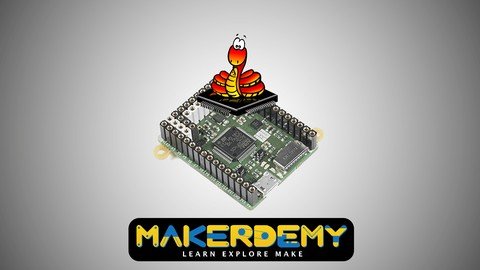
Introduction To Micropython Using The Pyboard
Last updated 6/2022
MP4 | Video: h264, 1280x720 | Audio: AAC, 44.1 KHz
Language: English | Size: 1.86 GB | Duration: 3h 46m
Get introduced to MicroPython and the Pyboard.
What you'll learn
This course will teach you the programming language MicroPython, it's essential features and the platform or the microcontroller on which it will run, called the Pyboard.
By the end of this course, you will be able to build non-trivial projects using the Pyboard, by programming it using MicroPython.
You will also develop enough confidence to program MicroPython compatible boards other than the Pyboard using MicroPython.
Requirements
To get maximum value out of this course, you should have at least a basic knowledge of programming principles.
Familiarity with Python will help you to follow this course easily.
You will also need to know some of the basic electronic concepts and experience with microcontroller boards like Arduino will help you in following this course.
Description
Update June 2022:Bill of Materials URLs are UpdatedThis beginner level course has twin objectives - (1) Introduce you to the Pyboard (2) Introduce you to MicroPython. By the end of this course, you would have developed a firm grasp of the hardware capabilities of the Pyboard and learnt to program it using MicroPython. We assume passing familiarity with the Python Programming language on the part of the learner.Other than hardware and embedded enthusiasts, this course is also designed to be a gateway to embedded programming for folks coming from hardcore programming background with zero knowledge of electronic development boards. We think hobbyists and hard core engineers (hardware and software) alike will learn much from this course.What you'll learnThis course will teach you the programming language MicroPython, it's essential features and the platform or the microcontroller on which it will run, called the Pyboard.By the end of this course, you will be able to build non-trivial projects using the Pyboard, by programming it using MicroPython.You will also develop enough confidence to program MicroPython compatible boards other than the Pyboard using MicroPython.Are there any course requirements or prerequisites?To get maximum value out of this course, you should have at least a basic knowledge of programming principles.Familiarity with Python will help you to follow this course easily.You will also need to know some of the basic electronic concepts and experience with microcontroller boards like Arduino will help you in following this course.Who this course is for:A Python developer without hardware experience looking to get started in embedded programming.Someone familiar with conventional microcontroller programming, but are looking to use a high-level language to program the microcontroller.An electronics hobbyist or an enthusiast looking to explore the Pyboard and MicroPython.A hardcore electronics engineer looking to learn one of the most exciting developments in the field of microcontroller programming.
Overview
Section 1: Getting started with MicroPython and the Pyboard
Lecture 1 Introduction to the course
Lecture 2 An Overview of MicroPython
Lecture 3 An Overview of Pyboard
Section 2: What is MicroPython?
Lecture 4 MicroPython Genesis
Lecture 5 Limitations of MicroPython and the Bare metal approach of MicroPython
Lecture 6 MicroPython Libraries
Section 3: The Pyboard
Lecture 7 MicroPython ready boards and other compatible boards
Lecture 8 Getting to know your Pyboard
Lecture 9 The Pyboard filesystem and Firmware upgrade
Lecture 10 Three ways to run programs on the Pyboard
Lecture 11 Boot modes and Error notifications on the Pyboard
Section 4: Experimenting with the Pyboard features
Lecture 12 LEDs, Switch, Pins on the Pyboard
Lecture 13 Timers, PWM and Servo control
Lecture 14 Serial protocols - UART, SPI and I2C
Lecture 15 RTC and Inline assembler
Lecture 16 ADC, DAC and Internal Accelerometer
Section 5: Hands-on Projects
Lecture 17 Digital Metronome
Lecture 18 Noise Meter
Lecture 19 Smart Home Automation
A Python developer without hardware experience looking to get started in embedded programming.,Someone familiar with conventional microcontroller programming, but are looking to use a high-level language to program the microcontroller.,An electronics hobbyist or an enthusiast looking to explore the Pyboard and MicroPython.,A hardcore electronics engineer looking to learn one of the most exciting developments in the field of microcontroller programming.
Homepage
https://www.udemy.com/course/introduction-to-micropython-using-the-pyboard/

https://rapidgator.net/file/5c6fc91d792fd2f564a0075052adcfa4/owyqp.Introduction.To.Micropython.Using.The.Pyboard.part1.rar.html
https://rapidgator.net/file/bd843501134b27f153b9e11db0d7ceba/owyqp.Introduction.To.Micropython.Using.The.Pyboard.part2.rar.html
Links are Interchangeable - No Password - Single Extraction
⚠️ Dead Link ?
You may submit a re-upload request using the search feature.
All requests are reviewed in accordance with our Content Policy.
Comments (0)
Users of Guests are not allowed to comment this publication.