
| view 👀:48 |
🙍 oneddl |
redaktor: FreshWap.CC | Rating👍:
Matthew Pizzi - Photoshop for Creative Professionals
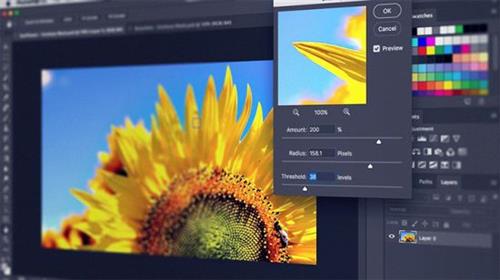
Matthew Pizzi (et al.) | Duration: 39h 00m | Video: H264 1280x720 | Audio: AAC 44,1 kHz 2ch | 13,03 GB | Language: English
Photoshop is a software program used by many creative professionals, such as Designers, Illustrators, Marketing Creatives, Photographers, Concept Artists, and Hobbyists. This path starts with the basic features and takes you through the advanced features of Photoshop.
Contents
A: Beginner
These courses will help learners reach a comfort level when working with basic features of Photoshop. Topics for this fundamental level of learning include concepts like workflow, navigating the interface, making selections, working with Type, using and understanding Camera Raw, and getting a little taste of Bridge and how it works in conjunction with Photoshop.
A1. Photoshop CC Fundamentals (Matthew Pizzi, 2020)
A2. Photoshop CC Selections (Matthew Pizzi, 2016)
A3. Photoshop CC Working with Type (Matthew Pizzi, 2016)
A4. Photoshop CC Camera Raw (Matthew Pizzi, 2016)
A5. Bridge CC Fundamentals (Matthew Pizzi, 2016)
B: Intermediate
This section focuses on diving deeper into some core Photoshop skills. Portrait retouching and using Photoshop for the web are vital parts of a designer's skillset and will be a part of your knowledge base when you're finished with this section. You'll also come away with an understanding of using the Smart Objects and the Shape tools.
B1. Photoshop CC for the Web (Matthew Pizzi, 2016)
B2. Photoshop CC Portrait Retouching (Matthew Pizzi, 2016)
B3. Photoshop CC Smart Objects (Matthew Pizzi, 2016)
B4. Photoshop CC Working with Filters (Sebastian Bleak, 2017)
B5. Photoshop CC Mastering Layer Styles (Justin Seeley, 2017)
B6. Photoshop CC Working with Shape Tools (Kirk Nelson, 2017)
C: Advanced
This section is also a deep dive into Photoshop skills but with a focus on some of the most advanced skills you need. You will have already seen things like Curves and Masks earlier in the path but you may not realize some new and exciting ways to use them that you'll learn here. You'll also get a comprehensive understanding of Color Management, 3D, and working with video.
C1. Photoshop CC Working with Curves (Megan Young, 2017)
C2. Photoshop CC Channels and Masks (Kirk Nelson, 2016)
C3. Photoshop CC Color Management (Andrew Rodney, 2016)
C4. Harnessing the Power of Photoshop Actions (Gary Simon, 2016)
C5. Understanding 3D in Photoshop (Kirk Nelson, 2016)
C6. Photoshop CC Video Editing (Anastasia Mouyis, 2017)
Homepage
https://www.pluralsight.com/paths/photoshop-for-creative-professionals#:~:text=Photoshop%20is%20a%20software%20program,the%20advanced%20features%20of%20Photoshop
 -->Click Link PeepLink Below Here Contains Rapidgator
 https://peeplink.in/11877b6d4e76
H4S
.html
.html
.html
.html
.html
.html
.html
Links are Interchangeable - No Password - Single Extraction
⚠️ Dead Link ?
You may submit a re-upload request using the search feature.
All requests are reviewed in accordance with our Content Policy.
Comments (0)
Users of Guests are not allowed to comment this publication.