
| view 👀:28 |
🙍 oneddl |
redaktor: FreshWap.CC | Rating👍:
Matthew Pizzi - Illustrator CC for Creative Professionals
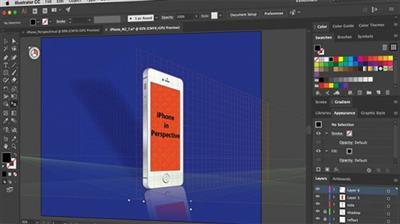
Matthew Pizzi (et al.) | Duration: 33h 00m | Video: H264 1280x720 | Audio: AAC 44,1 kHz 2ch | 7,66 GB | Language: English
In this learning path, you'll start to master Illustrator by working on some practical examples. You'll then move onto more specific projects teaching some of the most core skills an Illustrator user needs to know. By the end of these courses, you'll not only be confident in your technical use of Illustrator, but you'll have also picked up a lot of theory and technique for design and illustration.
What you will learn
• User Interface, Tools, and Panels
• Document Setup
• Using Illustrator to Design
• Type Tool and Text Formatting
• Creating and Editing Shapes
• Logo Design
• Branding and Identity Design
• Recoloring Artwork
• Illustration
• Font Creation
Courses in this path
A: Beginner
The goal of this section is to teach you the fundamental skills for using the software. You'll learn enough of the basics to know how to use Illustrator competently.
A1. Illustrator CC Fundamentals (Matthew Pizzi, 2016)
A2. Illustrator CC Building on the Fundamentals (Matthew Pizzi, 2016)
A3. Illustrator CC Pen Tool (Laura Coyle, 2016)
B: Intermediate
In this section, you'll build on your foundation by learning how to put your technical skills to use with design and illustration theories and tools. This combination of theory and tools is the next step once a graphic designer or illustrator has a solid foundation of the software.
B1. Illustrator CC Designing Type With Graphic Styles (Laura Coyle, 2016)
B2. Illustrator CC Typography (Pariah Burke, 2016)
B3. Illustrator CC Drawing and Coloring with Live Paint (Laura Coyle, 2016)
B4. Illustrator CC Recolor Artwork (Laura Coyle, 2016)
B5. Illustrator CC Curvature Tool (Laura Coyle, 2016)
B6. Adobe Brush CC & Illustrator Art Brushes (Laura Coyle, 2016)
B7. Illustrator CC for Web Designers (William Everhart, 2017)
C: Advanced
These advanced level courses will spend more time covering techniques and skills, like advanced illustrations and font creation. Font creation specifically is a skill that many graphic designers today aspire to learn.
C1. Illustrator CC Blends and Gradient Mesh (Matthew Pizzi, 2016)
C2. Illustrator CC Perspective Tool (Laurie Ruhlin, 2017)
C3. Illustrator CC Working with 3D (Laura Coyle, 2016)
C4. Illustrator CC Print Production (Justin Seeley, 2017)
Homepage
https://www.pluralsight.com/paths/illustrator
H4S
.html
.html
.html
.html
 -->Click Link PeepLink Below Here Contains Rapidgator
 https://peeplink.in/851595910a8e
Links are Interchangeable - No Password - Single Extraction
⚠️ Dead Link ?
You may submit a re-upload request using the search feature.
All requests are reviewed in accordance with our Content Policy.
Comments (0)
Users of Guests are not allowed to comment this publication.