
| view 👀:473 |
🙍 oneddl |
redaktor: FreshWap.CC | Rating👍:
FlippedNormals - Creating Custom Decals for Games
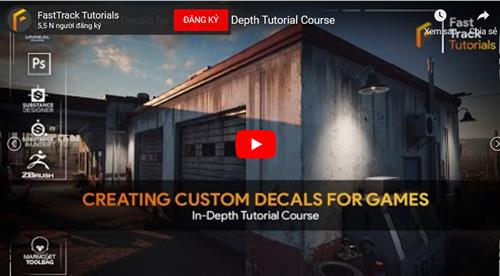
FlippedNormals | Instructors: fasttracktutorials | 12 Lessons | Duration: 5h 15m
Video: MP4 1920x1080 44 KHz | English | Level: Beginner | Size: 6.262 GB
Creating Custom Decals for Games ︱ In-Depth Tutorial Course
Learn how a professional environment artist works when creating custom decals using various techniques that can be used in-game engines. You will learn how to create everything from procedural decals to hand-painted to sculpted, Normal map only & POM decals, image-based decals, and much more!
SUBSTANCE DESIGNER & PAINTER, ZBRUSH, PHOTOSHOP, UNREAL ENGINE 5
We will cover various topics in this tutorial course, but the main ones are as followed
* Creating procedural leak decals using Substance Designer.
* Creating Hand Painted leak decals using Substance Painter
* Create edge damage and welding decals using Zbrush and Marmoset
* Creating road cracks and pothole decals using Substance designer
* Creating POM decals in Unreal Engine which stands for parallax occlusion mapping. It is a technique that uses height maps to make decals feel like they are made from geometry.
* Creating image-based decals
* Creating normal-map only decals that you can use on terrains
* Setting up various decal materials in unreal engine 5
* Using atlases with decals to optimize your scene
* Showcasing how to use decals in your levels
And so much more.
The general takeaway of this course is that in the end, you will have the knowledge on how to create a wide variety of decals to use for your games so that you no longer feel limited in your decal creation.
5+ HOURS! This course contains over 5+ hours of content – You can follow along with every single step – This course has been done 100% in real-time except for a few small time-lapses for very repetitive tasks. This course will come with all source files except for the showcase environment used in the images.
SKILL LEVEL This game art tutorial is perfect for students who have familiarity with Unreal Engine & Substance – Everything in this tutorial will be explained in detail. However, if you have never touched Unreal Engine or Substance Designer/Painter before, then we recommend that you first watch an introduction course
TOOLS USED
* Unreal Engine 5
* Substance Painter
* Substance Designer
* Zbrush
* Marmoset Toolbag 4
* Photoshop
https://flippednormals.com/downloads/creating-custom-decals-for-games-in-depth-tutorial-course/

.html
.html
 -->Click Link PeepLink Below Here Contains Rapidgator
 https://peeplink.in/625021373714
Links are Interchangeable - No Password - Single Extraction
⚠️ Dead Link ?
You may submit a re-upload request using the search feature.
All requests are reviewed in accordance with our Content Policy.
Comments (0)
Users of Guests are not allowed to comment this publication.