
Multitrack Video Editing Using Canva
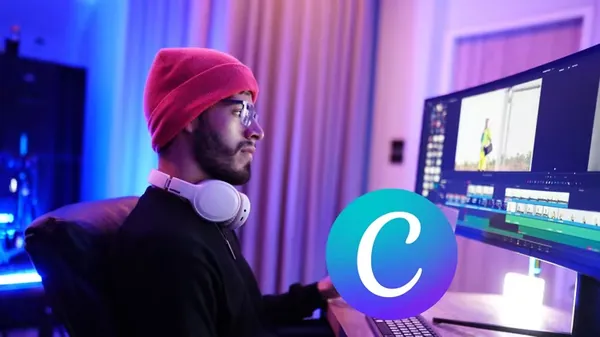
Multitrack Video Editing Using Canva
Published 5/2026
MP4 | Video: h264, 1920x1080 | Audio: AAC, 44.1 KHz, 2 Ch
Language: English | Duration: 1h 38m | Size: 1.83 GB
Master Layered Storytelling: Create Professional, Multi-Track Videos, Animations, and Audio Mixes Easily Without Expensi
What you'll learn
Master Multi-Track Timelines: Learn how to layer multiple video and audio tracks in Canva to create complex, professional-grade compositions.
Advanced Asset Management: Efficiently import, group, layer, and lock assets to maintain a clean, organized editing workflow.
Dynamic Motion Graphics: Integrate Canva's stock library, animated stickers, icons, and Lottie animations to make your videos pop.
Precision EAbsolutely no prior video editing experience is requiredditing Techniques: Trim, split, crop, and adjust playback speed with frame-by-frame accuracy.
Requirements
A computer, laptop, or tablet with a stable internet connection.
A basic Canva account (free version works, though Canva Pro features will be showcased).
Absolutely no prior video editing experience is required! We start from scratch.
Description
Welcome to the ultimate guide to masteringMultitrack Video Editing Using Canva! For years, Canva has been the go-to tool for graphic design, but recent updates have quietly transformed it into a surprisingly robust, timeline-based video editing powerhouse. If you have ever felt overwhelmed by the steep learning curves and heavy system
Requirements
of traditional software like Premiere Pro or DaVinci Resolve, this course is your perfect alternative.This comprehensive, step-by-step course is designed to take you from an absolute beginner to a confident visual storyteller. We begin by demystifying the Canva interface, examining the differences between free and premium plans, and setting up your workspace for success. From there, you will dive straight into the mechanics of multi-track editing. You will learn the exact techniques professionals use to stack multiple video elements, layer background tracks with voiceovers, and manage complex timelines using track locking, grouping, and layer management.
But we don't stop at the basics. You will unlock the full potential of Canva's massive asset library, learning how to seamlessly integrate stock footage, animated stickers, and advanced Lottie animations. Finally, you will master precision cutting, speed manipulation, color correction, and smooth transitions, bringing it all together in ahands-on capstone multi-track video project. By the end of this course, you will have the skills to produce stunning, multi-layered videos that captivate audiences and look like they were made by a high-end production agency.
Who this course is for
Content Creators & YouTubers looking to level up their video quality without steep learning curves.
Social Media Managers & Marketers who want to produce high-engagement reels, TikToks, and ads quickly.
Educators & Presenters aiming to create dynamic, visually layered instructional videos.
Entrepreneurs & Small Business Owners wanting to handle their own professional video marketing on a budget.
Buy Premium From My Links To Get Resumable Support,Max Speed & Support Me
Rapidgator
xfkxr.Multitrack.Video.Editing.Using.Canva.part1.rar.html
xfkxr.Multitrack.Video.Editing.Using.Canva.part2.rar.html
AlfaFile
xfkxr.Multitrack.Video.Editing.Using.Canva.part1.rar
xfkxr.Multitrack.Video.Editing.Using.Canva.part2.rar
⚠️ Dead Link ?
You may submit a re-upload request using the search feature.
All requests are reviewed in accordance with our Content Policy.
In today's era of digital learning, access to high-quality educational resources has become more accessible than ever, with a plethora of platforms offering free download video courses in various disciplines. One of the most sought-after categories among learners is the skillshar free video editing course, which provides aspiring creators with the tools and techniques needed to master the art of video production. These courses cover everything from basic editing principles to advanced techniques, empowering individuals to unleash their creativity and produce professional-quality content.
Comments (0)
Users of Guests are not allowed to comment this publication.