
Siemens – WinCC SCADA
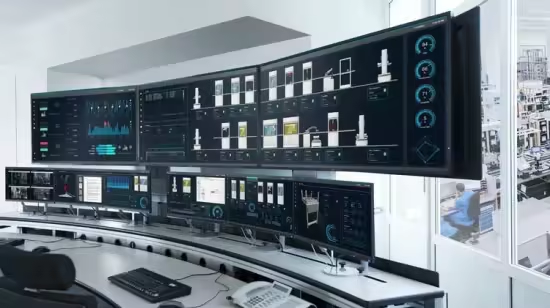
Free Download Siemens – WinCC SCADA
Published 10/2025
MP4 | Video: h264, 1280x720 | Audio: AAC, 44.1 KHz, 2 Ch
Language: English | Duration: 7h 58m | Size: 4 GB
Learn WinCC SCADA configuration, graphics, scripting, alarms, and trending with hands-on examples
What you'll learn
Understand the fundamentals of SCADA and Siemens WinCC architecture
Install and configure Siemens WinCC SCADA step by step
Create HMI/SCADA projects with real-time data visualization
Work with tags, groups, alarms, and events
Configure trending and historical data logging
Write and apply C & VB scripts for automation tasks
Connect WinCC with Siemens PLCs and Communication protocol
Build a complete SCADA project from scratch
Requirements
Basic knowledge of PLCs or industrial automation (recommended but not mandatory)
A Windows PC or laptop to install Siemens WinCC software
Willingness to learn by doing practical exercises
Description
Are you interested in learning Siemens WinCC SCADA from scratch and becoming confident in designing and configuring real-world SCADA projects?This course is designed to take you step by step from the basics of SCADA to advanced WinCC project development with hands-on examples.Whether you are a student, engineer, or automation professional, this course will help you gain practical skills that are in high demand in the industrial automation field.What makes this course different?Easy-to-follow explanations with practical examplesStep-by-step installation and configuration of WinCCHands-on projects to apply your learningCovers both basic and advanced SCADA conceptsLearn how to connect WinCC with Siemens PLCs (S7-1200/1500)Includes C & VB scripting for real automation use casesWhat you will learn in this courseUnderstand SCADA concepts and Siemens WinCC architectureInstall and configure Siemens WinCC softwareCreate professional HMI screens and user interfacesWork with tags, groups, alarms, and eventsConfigure trending, historical data logging, and reportingWrite scripts (C & VB) to automate SCADA functionsBuild a complete SCADA project from scratchWho is this course for?Engineering students who want to build a career in industrial automationElectrical, instrumentation, and automation engineersSCADA/PLC programmers looking to upgrade their skillsMaintenance engineers working with Siemens systemsAnyone who wants to learn how modern SCADA systems are designedRequirementsBasic knowledge of PLCs or automation (recommended but not mandatory)A Windows PC or laptop to install Siemens WinCCNo prior SCADA experience needed – we start from the basics!
Who this course is for
Engineering students who want to start a career in industrial automation
Electrical, instrumentation, and automation engineers
SCADA/PLC programmers looking to expand their skills
Maintenance engineers working with Siemens systems
Anyone interested in learning how SCADA systems are designed and configured
Homepage
https://www.udemy.com/course/siemens-wincc-scada-v8/Buy Premium From My Links To Get Resumable Support,Max Speed & Support Me
Rapidgator
lcpad.Siemens..WinCC.SCADA.part1.rar.html
lcpad.Siemens..WinCC.SCADA.part2.rar.html
lcpad.Siemens..WinCC.SCADA.part3.rar.html
lcpad.Siemens..WinCC.SCADA.part4.rar.html
lcpad.Siemens..WinCC.SCADA.part5.rar.html
Fikper
FreeDL
lcpad.Siemens..WinCC.SCADA.part1.rar
lcpad.Siemens..WinCC.SCADA.part2.rar
lcpad.Siemens..WinCC.SCADA.part3.rar
lcpad.Siemens..WinCC.SCADA.part4.rar
lcpad.Siemens..WinCC.SCADA.part5.rar
Siemens – WinCC SCADA
Published 10/2025
MP4 | Video: h264, 1280x720 | Audio: AAC, 44.1 KHz, 2 Ch
Language: English | Duration: 7h 58m | Size: 4 GB
Learn WinCC SCADA configuration, graphics, scripting, alarms, and trending with hands-on examples
What you'll learn
Understand the fundamentals of SCADA and Siemens WinCC architecture
Install and configure Siemens WinCC SCADA step by step
Create HMI/SCADA projects with real-time data visualization
Work with tags, groups, alarms, and events
Configure trending and historical data logging
Write and apply C & VB scripts for automation tasks
Connect WinCC with Siemens PLCs and Communication protocol
Build a complete SCADA project from scratch
Requirements
Basic knowledge of PLCs or industrial automation (recommended but not mandatory)
A Windows PC or laptop to install Siemens WinCC software
Willingness to learn by doing practical exercises
Description
Are you interested in learning Siemens WinCC SCADA from scratch and becoming confident in designing and configuring real-world SCADA projects?This course is designed to take you step by step from the basics of SCADA to advanced WinCC project development with hands-on examples.Whether you are a student, engineer, or automation professional, this course will help you gain practical skills that are in high demand in the industrial automation field.What makes this course different?Easy-to-follow explanations with practical examplesStep-by-step installation and configuration of WinCCHands-on projects to apply your learningCovers both basic and advanced SCADA conceptsLearn how to connect WinCC with Siemens PLCs (S7-1200/1500)Includes C & VB scripting for real automation use casesWhat you will learn in this courseUnderstand SCADA concepts and Siemens WinCC architectureInstall and configure Siemens WinCC softwareCreate professional HMI screens and user interfacesWork with tags, groups, alarms, and eventsConfigure trending, historical data logging, and reportingWrite scripts (C & VB) to automate SCADA functionsBuild a complete SCADA project from scratchWho is this course for?Engineering students who want to build a career in industrial automationElectrical, instrumentation, and automation engineersSCADA/PLC programmers looking to upgrade their skillsMaintenance engineers working with Siemens systemsAnyone who wants to learn how modern SCADA systems are designedRequirementsBasic knowledge of PLCs or automation (recommended but not mandatory)A Windows PC or laptop to install Siemens WinCCNo prior SCADA experience needed – we start from the basics!
Who this course is for
Engineering students who want to start a career in industrial automation
Electrical, instrumentation, and automation engineers
SCADA/PLC programmers looking to expand their skills
Maintenance engineers working with Siemens systems
Anyone interested in learning how SCADA systems are designed and configured
Homepage
https://www.udemy.com/course/siemens-wincc-scada-v8/Buy Premium From My Links To Get Resumable Support,Max Speed & Support Me
Rapidgator
lcpad.Siemens..WinCC.SCADA.part1.rar.html
lcpad.Siemens..WinCC.SCADA.part2.rar.html
lcpad.Siemens..WinCC.SCADA.part3.rar.html
lcpad.Siemens..WinCC.SCADA.part4.rar.html
lcpad.Siemens..WinCC.SCADA.part5.rar.html
Fikper
FreeDL
lcpad.Siemens..WinCC.SCADA.part1.rar
lcpad.Siemens..WinCC.SCADA.part2.rar
lcpad.Siemens..WinCC.SCADA.part3.rar
lcpad.Siemens..WinCC.SCADA.part4.rar
lcpad.Siemens..WinCC.SCADA.part5.rar
⚠️ Dead Link ?
You may submit a re-upload request using the search feature.
All requests are reviewed in accordance with our Content Policy.
In today's era of digital learning, access to high-quality educational resources has become more accessible than ever, with a plethora of platforms offering free download video courses in various disciplines. One of the most sought-after categories among learners is the skillshar free video editing course, which provides aspiring creators with the tools and techniques needed to master the art of video production. These courses cover everything from basic editing principles to advanced techniques, empowering individuals to unleash their creativity and produce professional-quality content.
Comments (0)
Users of Guests are not allowed to comment this publication.