
| view 👀:16 |
🙍 oneddl |
redaktor: Baturi | Rating👍:
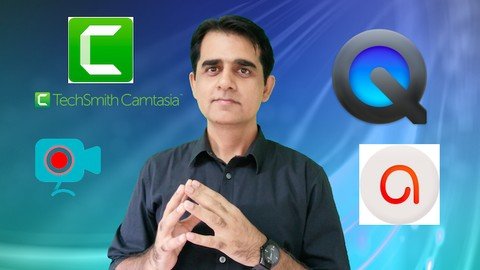
Screencasting A Step By Step Guide
Last updated 11/2022
MP4 | Video: h264, 1280x720 | Audio: AAC, 44.1 KHz
Language: English | Size: 511.95 MB | Duration: 0h 44m
Learn multiple platforms to screencast like a PRO.
What you'll learn
How to screencast
How to use Camtasia for screen casting
How to use ActivePresenter for screen casting
How to use Apowersoft for screen casting
How to use Quicktime for screen casting
Requirements
A computer and an Internet connection
Description
This course is designed to teach you various screencasting platforms. It includes downloading and installing software and also recording your videos using them along with some basic editing. The main platforms forms covered in this course are:CamtasiaActivePresenterApowersoftQuicktimeCamtasia: This is professional software that can be used for multiple purposes. A number of people, including myself, use it for video editing purposes. However, in this course, the focus should be on the screencasting aspects of Camtasia, even though you will find some videos related to basic editing and rendering.ActivePresenter: A very user-friendly and easy to use program that will help you start with your screencasting journey in no time. Apowersoft: I consider it one of the easiest applications to use for screencasting. You need no prior experience to use it and I also found it to be very user-friendly. Quicktime: This is a built-in software in Mac operating system, which also makes it a preferred choice if you don't want to download any third-party applications. It can get the job done, in terms of screencasting. However, you would need a better program to do your editing and make your videos more professional.After attending this course, you will be able to use these screencasting platforms for your screen recording. This is a must-have course for all those who would like to teach by recording their screen and convert it into a video form and share it with students.Have a great learning experience. Enjoy!
Overview
Section 1: Introduction
Lecture 1 Introduction to the course
Section 2: Screencasting
Lecture 2 Downloading and installing Camtasia
Lecture 3 Recording with Camtasia
Lecture 4 After the recording is finished
Lecture 5 Basic Editing and Exporting Videos in Camtasia
Lecture 6 Downloading and installing ActivePresenter
Lecture 7 Recording and Exporting Videos in ActivePresenter
Lecture 8 The Best Screencasting platform : Apowersoft
Lecture 9 Screencasting with Quicktime
Lectures,Teachers,Professors,Students who would like to use screen casting for their video recordings
Homepage
https://www.udemy.com/course/screencasting-guide/
Download From 1DL
.html

https://rapidgator.net/file/42e3d4e98836108feb8570acceedf1f9/sdzkf.Screencasting.A.Step.By.Step.Guide.rar.html
Please Help Me Click Connect Icon Below Here and Share News to Social Network | Thanks you !
⚠️ Dead Link ?
You may submit a re-upload request using the search feature.
All requests are reviewed in accordance with our Content Policy.
Comments (0)
Users of Guests are not allowed to comment this publication.