
| view 👀:46 |
🙍 oneddl |
redaktor: Baturi | Rating👍:
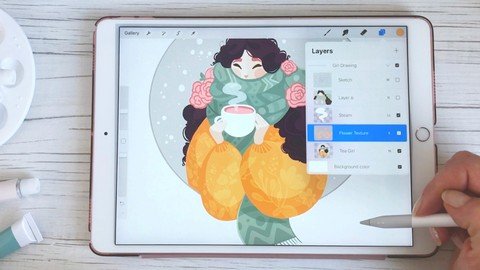
Practical Guide To Procreate
Last updated 8/2022
MP4 | Video: h264, 1280x720 | Audio: AAC, 44.1 KHz
Language: English | Size: 2.14 GB | Duration: 1h 45m
Drawing and Illustration on Your iPad
What you'll learn
Procreate
iPad Pro & Apple Pencil
Requirements
iPad Pro or iPad supporting Apple Pencil
Procreate App
Willingness to explore and learn new things
Description
Master the Procreate app on your iPad with practical examplesiPad and Procreate, if they are not yet, may become one of your favorite tools to create personal artworks and client projects because you can draw anywhere and anytime you want - on your sofa while watching TV, in your favorite cafe, in nature, in the museum, at school, during the client meeting.iPad and Procreate will change how much more you draw every day!This class is a quick and easy guide to getting up and running with Procreate on your iPad. No experience necessary!In this class you will learn:What tools you could get to illustrate on your iPadHow to set up the Procreate appHow you can organize your Image galleryHow you can set up your CanvasHow you can import References and use split-screen to draw from PinterestHow you can use Gestures, Brushes, Color palettes, Layers, Blending modes, TexturesHow you can approach Coloring and overall Creative workflow. and many other tips & tricksI will also show you how to export the fun timelapse videos you can see all over Instagram and other social media. As a Class Project, you will actually be creating a fun timelapse video of your artwork!Super excited to have you in the class! Let's start creating those awesome artworks with Procreate on your iPad!
Overview
Section 1: Introduction
Lecture 1 Introduction
Section 2: Master the Procreate App on Your iPad
Lecture 2 Tools & Hardware
Lecture 3 Procreate App Settings
Lecture 4 Gallery
Lecture 5 Canvas
Lecture 6 Procreate App Interface
Lecture 7 Timelapses
Lecture 8 Drawing Guides
Lecture 9 Using References
Lecture 10 Brushes
Lecture 11 Color Palettes
Lecture 12 Color Adjustments
Lecture 13 Layers
Lecture 14 Blending Modes
Lecture 15 Selection Tool
Lecture 16 Transform Tool
Section 3: Final Thoughts & Project
Lecture 17 Final Thoughts & Class Project
Lecture 18 Project
Lecture 19 BONUS: Time Lapses
Professional artists,Hobby artists,Graphic Designers
Homepage
https://www.udemy.com/course/the-practical-guide-to-procreate/
Download From 1DL
.html
.html
.html

https://rapidgator.net/file/802a9582c7cd59a19a1088dd8d45a92b/nqumk.Practical.Guide.To.Procreate.part1.rar.html
https://rapidgator.net/file/e5553b8f937b407d472d977ed77c1db0/nqumk.Practical.Guide.To.Procreate.part2.rar.html
https://rapidgator.net/file/8c243ed40258d23bcb37dce720894eb5/nqumk.Practical.Guide.To.Procreate.part3.rar.html
Please Help Me Click Connect Icon Below Here and Share News to Social Network | Thanks you !
⚠️ Dead Link ?
You may submit a re-upload request using the search feature.
All requests are reviewed in accordance with our Content Policy.
Comments (0)
Users of Guests are not allowed to comment this publication.