
| view 👀:18 |
🙍 oneddl |
redaktor: Baturi | Rating👍:
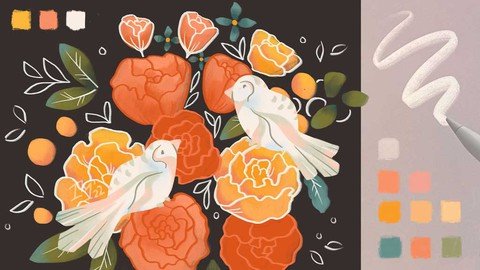
Versatile Procreate Drawing Brush
Last updated 3/2022
MP4 | Video: h264, 1280x720 | Audio: AAC, 44.1 KHz
Language: English | Size: 1.24 GB | Duration: 0h 58m
Easy Floral Illustration with Texture
What you'll learn
How to turn one of the pre-defined Procreate brushes to a versatile brush
How to use your new Procreate brush
How to use references to illustrate flowers
How to use references to build color palettes
Requirements
Comfortable with being inspired and trying things out on your own
iPad supporting Procreate & Apple Pencil or other supported stylus
Knowing the Composition and Flower Design basics
Description
What if you could use just one Procreate brush to achieve an interesting look, nice texture, and crisp edges in your Illustration?Join me in the class to find out how!Some of the most common questions artists ask me are about the brushes - which brush should I use, what size, what settings . Brushes are indeed important for the outcome of your digital painting. Especially if you want to have some texture in your illustration.So in this class, you will discover how you can turn one of the pre-defined Procreate brushes into a versatile brush, so you save yourself time, by pressing the pause button on your next "best brush hunt". As a project for this class, you will be using the new brush to create a loose abstract floral illustration, enjoying the colors of beautiful bouquets.You can follow along and get inspired by my project or create your own floral illustration. I am looking forward to seeing your artworks in the Projects section ♡Basic Procreate knowledge is helpful but not necessary for this class as I will guide you through it. So without further ado, let's start.See you in the class!© Copyright Iva Mikles | All Rights Reserved | Class content & structure for educational purposes only
Overview
Section 1: Introduction
Lecture 1 Introduction
Lecture 2 Project & Resources
Lecture 3 Brush Overview
Lecture 4 References
Lecture 5 Color Palette
Section 2: Brush Setup
Lecture 6 Brush Setup
Lecture 7 Using the Brush
Section 3: Project
Lecture 8 Base Colors
Lecture 9 Lines and Details
Lecture 10 Other Details
Section 4: How Did it Go?
Lecture 11 How Did it Go?
Digital Artists,Illustrators,Graphic Designers,Hobby Artists
Homepage
https://www.udemy.com/course/versatile-procreate-brush/

https://rapidgator.net/file/3f1dc81e16c300cfaf924f27f5ad3dee/yigwn.Versatile.Procreate.Drawing.Brush.part2.rar.html
https://rapidgator.net/file/e3b83497a10c686c5bb3c459aeffb6e7/yigwn.Versatile.Procreate.Drawing.Brush.part1.rar.html
Please Help Me Click Connect Icon Below Here and Share News to Social Network | Thanks you !
⚠️ Dead Link ?
You may submit a re-upload request using the search feature.
All requests are reviewed in accordance with our Content Policy.
Comments (0)
Users of Guests are not allowed to comment this publication.