
| view 👀:24 |
🙍 oneddl |
redaktor: Baturi | Rating👍:
Create Custom View Filters Using Dynamo
MP4 | Video: h264, 1280x720 | Audio: AAC, 44.1 KHz
Language: English | Size: 1.02 GB | Duration: 1h 25m
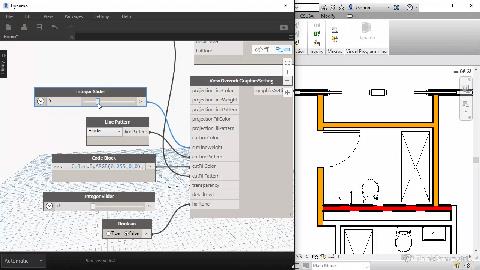
In this course Konrad Sobon is going to explain how to create custom view filters in Dynamo. He will demonstrate a common workflow he has developed specifically for this series using custom packages for Dynamo.
What you'll learn
Description
About
In this course Konrad Sobon, a Computational BIM Specialist working for Grimshaw Architects in New York, is going to explain how to create custom view filters in Dynamo for Revit. We will go over some common workflows he has developed specifically for this course, using a custom package for Dynamo.
In the first lessons we'll create some simple view filters in Dynamo and apply them to multiple views and see the effect in Revit. After that, we'll take a look into hiding and removing a view filter or even deleting them from a project using some nodes from the custom package included in the assets for this course.
We will then move on to discuss a couple of workflows centered around view templates and the managing of view templates on a project. We're going to set some view filter overrides so they're the same in multiple views when using view templates. After that we'll do the same but for category overrides.
Finally we'll go over some miscellaneous nodes that are included in the custom package but have not been explicitly used in the lessons. We'll highlight some useful ones that may come up in your own project when creating view filters and we'll show some cool uses for them.
This course is particularity helpful when dealing with big projects consisting of a large number of views. Dynamo allows us to quickly and accurately create, apply, modify and/or unify a set of view filters across multiple views of a project. This results in huge time savings and lowering human errors significantly.
Overview
Lecture 1 Installation guide of the custom package in Dynamo
Lecture 2 Creating a simple view filter in Dynamo
Lecture 3 Applying the view filters in Revit
Lecture 4 Removing and deleting view filters in Revit
Lecture 5 Unifying view filters across multiple view templates
Lecture 6 Unifying view templates across multiple categories
Lecture 7 Miscellaneous nodes to further manage view filters and templates
Homepage
https://www.udemy.comhttps://thinkparametric.com/courses/create-custom-view-filters-using-dynamo

https://rapidgator.net/file/096a8da6b42384aac6bcde5f0d73cf53/sbcpe.Create.Custom.View.Filters.Using.Dynamo.part2.rar.html
https://rapidgator.net/file/a43bfe2fdd73d3fb434ea14580e96952/sbcpe.Create.Custom.View.Filters.Using.Dynamo.part1.rar.html
Please Help Me Click Connect Icon Below Here and Share News to Social Network | Thanks you !
⚠️ Dead Link ?
You may submit a re-upload request using the search feature.
All requests are reviewed in accordance with our Content Policy.
Comments (0)
Users of Guests are not allowed to comment this publication.