
| view 👀:20 |
🙍 oneddl |
redaktor: FreshWap.CC | Rating👍:
Build, test, and deploy a Github user search app w/ ReactJS
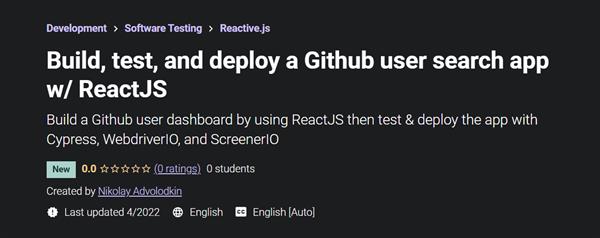
Build, test, and deploy a Github user search app w/ ReactJS
MP4 | Video: h264, 1280x720 | Audio: AAC, 44.1 KHz, 2 Ch
Genre: eLearning | Language: English + srt | Duration: 37 lectures (2h 34m) | Size: 1.5 GB
Build a Github user dashboard by using ReactJS then test & deploy the app with Cypress, WebdriverIO, and ScreenerIO
What you'll learn
Learn how to build a Github user's dashboard using ReactJS.
This dashboard will have the capability to enter a username of a Github user and search for that user pulling back all of their relevant information.
Test the application using Cypress to do functional end-to-end testing and WebdriverIO and ScreenerIO for visual end-to-end testing.
Code and deploy the application to Netlify so that you can have a production version of the application to display in your project's portfolio.
Requirements
Knowledge of jаvascript
Knowledge of HTML and CSS
Basic understanding of React
Description
Throughout the course, you'll be able to build a beautiful and functional Github dashboard, in just two hours.
You'll be provided with access to the source code so you can jump to the relevant part of the code and try to work with this React project on your own.
What's in this course?
Overview of the app
Starter project
Separating pages with react-router-dom
Auto rename tag extension
Error page with styled-components
Implement login page
Dashboard skeleton
Add GithubContext
When do we test
Adding mock data
Finish Info.js
Card.js and User.js
Thinking about testing
How will we test Routes
Setting up WebdriverIO
Successful WebdriverIO test
Setting up a visual test with ScreenerIO
Analyzing visual results
Does Back Home button work
Fixing visual issues in ScreenerIO
Installing CypressIO
Opening CypressIO
Cypress test for button url
Followers component
Search component dummy
Get rate limit of API
Finishing rate limit request
Add remaining Requests to display
Axios API update
Search Github user functionality
Set followers
Finish Navbar
Resolving bugs with tests
Final touches on the app
Summary
Deploying site
Technologies you will use
ReactJS
CypressIO
WebdriverIO
ScreenerIO
Netlify
React Library
Ready to start? Check out the full curriculum and jump into the tutorial.
What our students are saying?
"I appreciate the time the instructor put on this course as well as the opportunity to get familiar with TestProject free of charge. Well explained, however, if you are using Windows and you are new in Automation Testing, you might find it a bit challenging with adding the SDK Token in your system environment since the instruction used MAC which is completely a different way with windows. Other than that... I appreciate a lot this free course .... thank you so much"
"I like the fundamental approach used by the author. Will see:) To prepare for such a course - it's a really hard and big job. Respect and thank you". - Serhii Kovalenko
"Wonderful content and things explained in a nutshell. Overwhelmed by Author's dedication to putting things in such a way that any novice or manual tester can follow and understand and definitely be on-boarded as a Selenium Automation Engineer the next day at work. Thanks a million times for creating these courses! One Stop for Automation". - Rupashree Geethaaviji Ananthakrishna
"I am familiar with Nikolay from a course I saw on TestAutomation and have the highest regard for him. Glad to see him on Udemy". - Annamalai Viswanathan
Who this course is for
Intermediate developers looking to learn how to test web applications
Homepage
https://www.udemy.com/course/build-test-and-deploy-a-github-user-search-app-w-reactjs/
.html

https://rapidgator.net/file/96350199128846c8ea79e98ed372abb0/9utb5.B.t.a.d.a.G.u.s.a.w.R.rar.html
Links are Interchangeable - No Password - Single Extraction
⚠️ Dead Link ?
You may submit a re-upload request using the search feature.
All requests are reviewed in accordance with our Content Policy.
Comments (0)
Users of Guests are not allowed to comment this publication.