
| view 👀:43 |
🙍 oneddl |
redaktor: FreshWap.CC | Rating👍:
Liquidverve – Compositing for Portraits
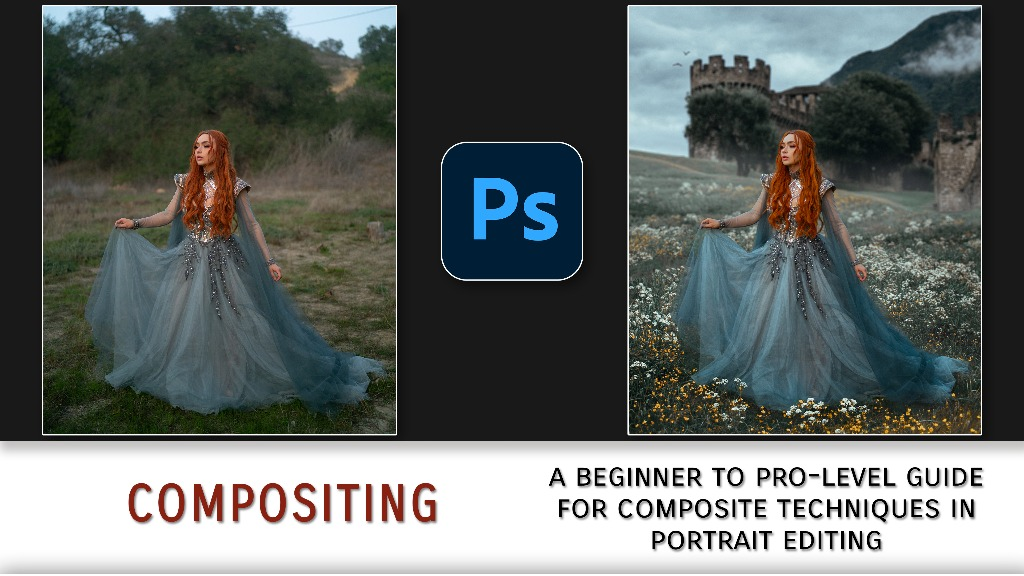
Liquidverve – Compositing for Portraits
Home Page
https://liquidverve.com/item/compositing
Genre / Category:Photoshop Tutorials
File Size :5GB
Product Details Welcome to my in-depth portrait compositing course! In this set of tutorials, we study tools and techniques that can be applied to a vast range of different compositing scenarios.
Whether it's adding flowers, building some fog, placing a model in front of the Eiffel Tower, or creating an entirely new world – this course will provide you with the tools to do it!
This is an extremely in-depth course, which can take you all the way from a beginner to a pro-level portrait compositor.
This course is for you if:
- you are looking to make your work stand out and explore new creative paths with your portraits!
- you are an editor! You do not need to be a portrait shooter to learn or do any portrait compositing. There are lots of resources available online to access images to work with.
- you have an understanding of the Photoshop interface and base tools, such as layers, masks, adjustments, etc.
Note: This course is built for Photoshop. I would not recommend downloading this course to apply to another editing program or phone app.
Disclaimer: This course does NOT cover any retouching or coloring/stylization! It focuses solely on the compositing process. If you'd like to learn those other aforementioned workflow elements, I'd recommend taking a look at the Retouching & Stylization Bundle!
We will cover:
LEVEL I – INTRODUCTION TO COMPOSITING
- Foundations – a discussion about masking and matching
- Walkthrough – a first compositing walkthrough using a simplified element
LEVEL II – CORE WORKFLOW
- Finding elements – using stock image sites to select composite elements
- Importing & masking – combining elements and blending edges
- Matching – calibrating perspective, lighting, focus, and color
- Final additions – adding minor elements and finishing touches
- Cleanup – cleaning up the comp and integrating it into a full portrait workflow
LEVEL III – ADVANCED TOOLS & TECHNIQUES
- Advanced techniques – for masking and matching elements
- Special scenarios – sky replacements, 2D replacements, overlays and particles, dimensional elements, body part swaps, background replacements and extensions, and paint-outs
- Better plates – finding and shooting improved composite elements
- Troubleshooting – "what ifs" and worst-case scenarios
- Optimization and efficiency – workflow speed and smarter approaches
Included with this download:
- The full video course (digital download) [currently approximately 5-6h of material]
- TIFs/RAWs and stock images for all follow-along walkthroughs
- My LUTs (Photoshop coloring presets)
- My minimalistic Photoshop Toolbar
- Instructions on how to import and use all files


.html

https://rg.to/folder/6534524/Compositingforportraits.html
Links are Interchangeable - No Password - Single Extraction
⚠️ Dead Link ?
You may submit a re-upload request using the search feature.
All requests are reviewed in accordance with our Content Policy.
Comments (0)
Users of Guests are not allowed to comment this publication.