
| view 👀:44 |
🙍 oneddl |
redaktor: FreshWap.CC | Rating👍:
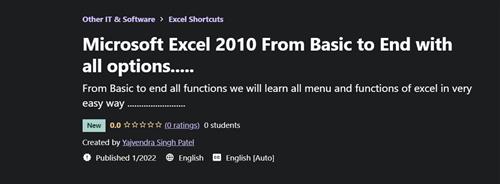
Udemy - Microsoft Excel 2010 From Basic to End with All Options
MP4 | Video: h264, 1280x720 | Audio: AAC, 44.1 KHz, 2 Ch
Genre: eLearning | Language: English + srt | Duration: 5 lectures (1h 15m) | Size: 397 MB
From Basic to end all functions we will learn all menu and functions of excel in very easy way
What you'll learn
Master in Microsoft Excel from Basic to advance
at least one month course
Learn the all menus in detail
Learn the all basic function which is used in office
Requirements
No programming is needed
Description
MS- Excel 2010 - we will learn all menu and functions of excel in very easy way.
ms excel is spreadsheet software widely used to perform mathematical calculation. The data is spread in a tabular form consisting of rows and columns. It provides built in features and tools such as formulas, functions and data analysis tools that make it easier to work with large amount of data. when you start excel you open a file which is called a Workbook. it is like a notebook that has number of pages in it. each new workbook comes with three worksheets (like pages in a document) known as sheet tabs. They can be seen at the bottom left of the workbook window. these are named as sheet1, sheet2, and sheet3.
Data is entered into the worksheet. you can add additional worksheets, if you need more than three. data can be viewed in a worksheet by clicking on its sheet tab. A worksheet is divided into rows and columns.
Each columns has an alphabetical heading at the top. The first 26 columns have the letters from A through Z, then AA through AZ and carrying upto XFD. Each worksheet contains 16384 columns.
Rows- Each row also has a heading. Row headings are numbers, ranging from 1 to 1048576.
Cell - A cell is the space which is formed by the intersections of one row and one columns. each small rectangle in a spreadsheet is called a cell.
Cell reference - The Cell heading of a column and a row combines to form the cell address, also called the cell reference.
Cell pointer - A cell pointer is a highlighted cell boundary that indicates which cell is active at the moment.
Who this course is for
This Excel course is for all no age limit.
Homepage
https://www.udemy.com/course/microsoft-excel-2010-from-basic-to-end-with-all-optionsBuy Premium From My Links To Get Resumable Support,Max Speed & Support Me
.html

https://rapidgator.net/file/6507d82ec1babb11ecb5267c87a38ea5/iun7c.M.E.2010.F.B.t.E.w.a.o.rar.html
Links are Interchangeable - No Password - Single Extraction
⚠️ Dead Link ?
You may submit a re-upload request using the search feature.
All requests are reviewed in accordance with our Content Policy.
Comments (0)
Users of Guests are not allowed to comment this publication.