
| view 👀:29 |
🙍 oneddl |
redaktor: FreshWap.CC | Rating👍:
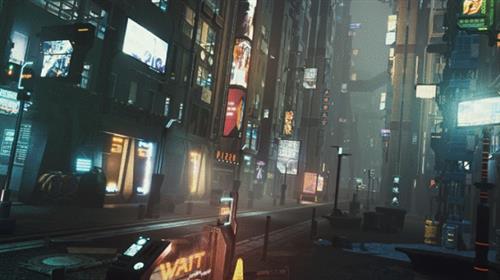
Game Environment Design - Cyberpunk Scenes with Unreal Engine
Instructors: Leartes Studios
Resources files * 19 lessons * 3h 51m
Video: MP4 1920x1080 48 KHz | English
Level: BEGINNER | Size: 4.8 GB
Learn how to create a real-time cyberpunk environment for a video game by using digital tools to create mood, level art, lighting, and animation
Remember that great idea you had for a video game? Founders of Leartes Studios, Oguzhan and Serdar are here to help you bring that idea to life. Leartes Studios specializes in creating environments for video games with Unreal Engine 4. With clients such as Marvel Studios, Activision, Epic Games, Ubisoft, Microsoft, and more, they have created seamless game environments for a wide range of video game genres.
In this course, they give you a walkthrough of how to create a cyberpunk video game environment from scratch. Oguzhan and Serdar take you through the basics of Unreal Engine, and show you how to create detailed level art and compelling renders for animations. Ready to create your own virtual, cyberpunk world?
What is this course's project?
Create a game-ready scene in Unreal Engine with detailed renders and animations.
Who is it for?
This course is for anyone who wants to learn how to use Unreal Engine or would like to explore game art, environment design, and real-time virtual productions.
What you need
Basic knowledge of Unreal Engine is required.
To take this course, you need access to a computer with Unreal Engine, and an asset pack for your environment design. Within the course forum, you can find free asset packs or purchase the same pack used throughout the course.
Basic knowledge of Unreal Engine is required.
Contents
U1
Introduction :-
About Us
Influences
U2
First Steps :-
Basics about Unreal Engine
Creating a Reference Board
Blocking Out the Environment 1
Blocking Out the Environment 2
Creating Vertex Paint Materials in Unreal Engine 1
Creating Vertex Paint Materials in Unreal Engine 2
U3
Producing the Scene :-
Replacing Blockout Meshes with Actual Models 1
Replacing Blockout Meshes with Actual Models 2
Level Design
Material Arrangements in the Scene
Set Dressing of the Scene
Lighting
Polishing the Lighting with Volumetric Lights
U4
Final Touches :-
Post-processing
Creating a Small Sequence in Our Environment 1
Creating a Small Sequence in Our Environment 2
Tips for Beginners
~~~~ Welcome to my Blogs ~~~~
Do not forget to check it every day![/center]
If You should find any files not found, please PM me
NITROFLARE
Buy Premium From My Links To Get Resumable Support,Max Speed & Support Me
.html
.html
.html

https://rapidgator.net/file/d23b2e93e093409392294417370c1afb/wlxm7.G.E.D.C.S.w.U.E.part1.rar.html
https://rapidgator.net/file/0cea51294a2acf856bb73db8b878caf0/wlxm7.G.E.D.C.S.w.U.E.part2.rar.html
https://rapidgator.net/file/cc356bfaf26c2e5a72a9df5e39ef2214/wlxm7.G.E.D.C.S.w.U.E.part3.rar.html
Links are Interchangeable - No Password - Single Extraction
⚠️ Dead Link ?
You may submit a re-upload request using the search feature.
All requests are reviewed in accordance with our Content Policy.
Comments (0)
Users of Guests are not allowed to comment this publication.