
| view 👀:37 |
🙍 oneddl |
redaktor: FreshWap.CC | Rating👍:
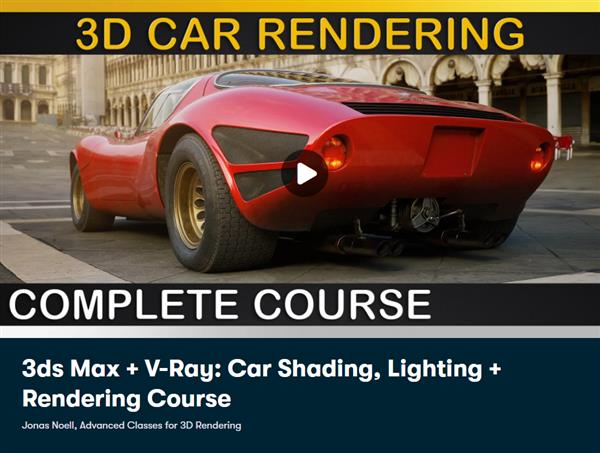
3ds Max + V-Ray - Car Shading, Lighting + Rendering Course
Duration: 4h 7m | Video: .MP4, 1280x720, 30 fps | Audio: AAC, 48 kHz, 2ch | Size: 3.09 GB
Genre: eLearning | Language: English
Welcome to this course on 3D Car Rendering. In this complete course we will learn how to render a Photorealistic Car completely from scratch.
WHICH SOFTWARE WILL BE USED?
Wewill be using 3ds Max and V-Ray 5but keep everything very general so that all those techniques are easily transferable to any other Software Packages such as Cinema 4d / C4D, Maya, Blender, Corona, Arnold, Octane, RedShift, Eevee and Cycles.
WHO IS THIS COURSE FOR?
Everyone who has at least some basic knowledge in 3D. This course won't cover the total basics of operating your 3D Software but is ideal for ambitious Artists who always wanted to render Photorealistic Cars but have no idea how to start.
WHAT WILL I LEARN?
A lot, but most important topics include
How to use free Online Resources for an easy Start
How to initialize your 3d Software and Renderer
How to prepare your Car Model
How to use HDRIs
How to adress common Issues with HDRIs
How to modify HDRIs to your liking
How to build a universal Lighting Setup for Automotive Rendering
How to build an Exterior Lighting Setup
How to build a Studio Lighting Setup
How to use Tonemapping for realistic Results
How to build any kind of Shader for Car Rendering
How to optimize your Shaders
How to add realistic Weathering to your Shaders
How to use Procedural Shaders and Masks
How to prepare your Rendering for Postprocessing
HOW IS THIS COURSE STRUCTURED?
This course is structured in 4 different parts
Preparation: We will talk about the entire Preparation Process. We will discuss on where to find helpful online ressources, how to set up basic render settings, how to import the model into your 3D Software and then touch on various points that you would need to take note of when dealing with HDRI's.
Lighting: We will discover the proper way of creating our own Custom Lighting Setup for Car Rendering. We will walk through the whole Setup Process, talk about common Issues that are present in many Render Engines, finalize our Setup with additional Refinements and set up a proper Tonemapping Workflow.
Shading: We will explore everything that is related to shading Cars. We will go through all the different Shaders which we require for our car, starting with advanced Car Paint Shading and talk about all other other parts such as Lights, Rims, Tires, Engine, Exhaust and so on. You will learn how to build all Shaders from scratch so that you can easily recreate those steps for your own Projects.
Bonus: In this included Bonus part you can find additional information which is important for Car Rendering. We will walk through the Scene File which you can download and discover how we can use it. Additionally 2 free bonus lessons are uncluded: - Car Studio Lighting and V-Ray VFB to PSD workflow
WHO IS THE TEACHER?
I have been working as aDigital Artist specialized in 3D Lighting, Shading and Rendering since 2009. Over the years I have worked on countless Automotive Projects including High-Res StillframeRenderings and Animations. You can get an overview of my work in my latest Showreelor Website
WHAT IF I RUN INTO PROBLEMS?
Don't worry, I am here to help. If you run into any problems with the course or your projects where you want to apply those techniques on, just contact me and I am sure we can help you out!
Homepage
https://www.skillshare.com/classes/3ds-Max-V-Ray-Car-Shading-Lighting-Rendering-Course/934544588S
Buy Premium From My Links To Get Resumable Support,Max Speed & Support Me
.html
.html

https://rapidgator.net/file/ee2902aab4ced97798edd41de3c8e92f/fg2ks.3.M..V.C.S.L..R.C.part1.rar.html
https://rapidgator.net/file/d197c85f4188c05f7923203ae9718bb5/fg2ks.3.M..V.C.S.L..R.C.part2.rar.html
Links are Interchangeable - No Password - Single Extraction
⚠️ Dead Link ?
You may submit a re-upload request using the search feature.
All requests are reviewed in accordance with our Content Policy.
Comments (0)
Users of Guests are not allowed to comment this publication.