
| view 👀:51 |
🙍 oneddl |
redaktor: FreshWap.CC | Rating👍:
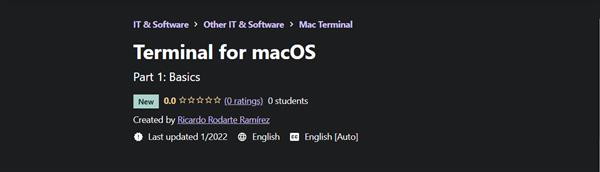
Terminal for macOS By Ricardo Rodarte Ramírez
MP4 | Video: h264, 1280x720 | Audio: AAC, 44.1 KHz, 2 Ch
Genre: eLearning | Language: English + srt | Duration: 16 lectures (1h 40m) | Size: 343.8 MB
Part 1: Basics
What you'll learn
Know what Terminal is and how to use it
Navigate throughout the file system
Create, copy, edit, move, and remove files and directories
The syntax use in Terminal commands
Requirements
This is the first course that a student interested in learning Terminal for macOS should start, so there is no prior knowledge requirements at all.
Description
This course covers crucial topics of Terminal for macOS that every technology enthusiast -specially a web developer- should know in order to be able to control a computer without the need of a GUI (Graphical User Interface ). The course covers basic personalization of Terminal as well as commands most widely used to navigate throughout the whole file system, work with files and directories, and also create or edit them.
I'm confident that this course will help to better understand the overall interface, logic and syntax of the commands, and the history behind every single sign used in the main Terminal window. Researching through several other courses I was amazed by how most of them fails to deliver a fast, easy, and simply explanation to use Terminal right away. In my experience most people don't want to take courses several hours long full of fluff, instead this course is very topic specific with an achievable goal, for example, being able to create, copy, move, edit, delete files or directories.
Overall, the first lessons will cover the setup, personalization, and ways of accessing Terminal. Next, we cover the Terminal interface and syntax of a command, starting with the creation of directories and files. Finally, we manipulate the data in several ways all from Terminal, without the need of using the GUI, i.e., Finder. The last lesson is focused in a couple of very useful commands for find files in your system. This initial course is brief and focused on goals described in the name of each lesson, a further to be released course (Part 2) will follow this path but from a more advance use case perspective, diving deep in some commands and discovering new ones.
Who this course is for
Anyone who is interested in macOS Terminal, web developers, and general technology enthusiasts.
Homepage
https://www.udemy.com/course/terminal-for-macos/Buy Premium From My Links To Get Resumable Support,Max Speed & Support Me
.html

https://rapidgator.net/file/681207b7cfe192de11aa1821a16b6a0d/uhtql.T.f.m.rar.html
Links are Interchangeable - No Password - Single Extraction
⚠️ Dead Link ?
You may submit a re-upload request using the search feature.
All requests are reviewed in accordance with our Content Policy.
Comments (0)
Users of Guests are not allowed to comment this publication.