
| view 👀:46 |
🙍 oneddl |
redaktor: FreshWap.CC | Rating👍:
Learn How to Edit Videos in Adobe Premiere Pro ✮
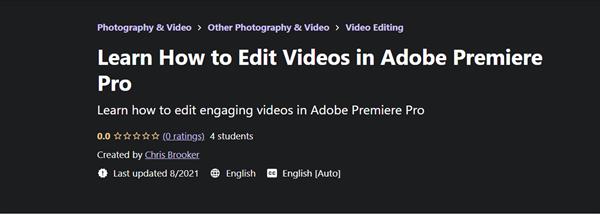
Last Update: 8/2021
Duration: 3h 21m | Video: .MP4, 1280x720 30 fps | Audio: AAC, 44.1 kHz, 2ch | Size: 2.4 GB
Genre: eLearning | Language: English
Learn how to edit engaging videos in Adobe Premiere Pro
What you'll learn:
You will learn how to create a new sequence and import your footage
How to animate with keyframes
Top video editing transitions
How to mask your footage, shape layers, etc. to create dynamic animations and effects
Title animation
Captions and subtitle generation
How to handle and edit green screen footage
How to edit multiple camera angles at the same time
Colour correction and grading
How to turn your project into a completed video file
& loads more!
Requirements
No previous video editing experience required.
Description
Adobe Premiere Pro is one of the industry's leading video editing programs for creating high-quality, professional videos for use in broadcast and online. It is capable of compiling your footage into amazing videos, with motion graphics, titles and graphics included, but at first glance, it's a little overwhelming. This course is designed to help you navigate the interface and allow you to easily create dynamic, engaging videos that will impress your viewers, clients, customers, and more.
Each stage of the editing process is broken into its own lesson and each lesson contains multiple subcategories to help you learn at your own pace. This course contains over two and a half hours of video content to help you learn.
No previous video editing experience required. This course is perfect for beginners and intermediate-level editors looking to brush up on their skills. This course is also great for those transferring from an alternative video editing program (i.e., Final Cut, iMovie, Vegas, etc.)
This course includes: Importing & Organizing Footage, Creating a New Sequence, Navigating Premiere and understanding the interface, Keyboard Shortcuts, Keyframes and keyframe animation, Transitions, Masking, Titles, MOGRT Files (Motion Graphic Files) and the Essential Graphics Panel, Captions and Subtitles, Time (Fast forward, reverse and slow motion, speed ramping, and time lapses), Stabilizing Footage, Keying and Editing Greenscreen Footage, Multicam Editing, Sound Editing, Dynamic Linking into other Adobe Software (After Effects and Audition), Colour Correction and Grading and The Export Process.
The idea behind this course is not only to teach you how to use Adobe Premiere Pro, but why you would use different techniques and tools to create your desired effect. This course will therefore allow you to create your own videos in Premiere that are guaranteed to impress.
Who this course is for
This course is perfect for beginners and intermediate-level editors looking to brush up on their skills. This course is also great for those transferring from an alternative video editing program (i.e., Final Cut, iMovie, Vegas, etc.)
https://www.udemy.com/course/brookerfilms-premiere/
Buy Premium From My Links To Get Resumable Support,Max Speed & Support Me
.html
.html

https://rapidgator.net/file/12193f4ecf4599af692925d69c49bffa/z0dai.L.H.t.E.V.i.A.P.P.part1.rar.html
https://rapidgator.net/file/fd377738c6b52b926d9ef6091865c298/z0dai.L.H.t.E.V.i.A.P.P.part2.rar.html
Links are Interchangeable - No Password - Single Extraction
⚠️ Dead Link ?
You may submit a re-upload request using the search feature.
All requests are reviewed in accordance with our Content Policy.
Comments (0)
Users of Guests are not allowed to comment this publication.