
| view 👀:49 |
🙍 oneddl |
redaktor: FreshWap.CC | Rating👍:
Udemy - Master Microsoft Family Safety & Google Digital Wellbeing
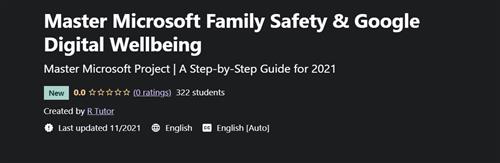
Instructors: R Tutor
3 sections • 5 lectures • 34m total length
Video: MP4 1280x720 44 KHz | English + Sub
Updated 12/2021 | Size: 210 MB
What you'll learn
Create a safe space for your kids to explore online. Use the app's content filtering settings to set healthy boundaries.
Block inappropriate apps and games, and limit browsing to kid-friendly websites using Microsoft Edge on Xbox, Windows, and Android.
Stay connected even when you're apart with family location sharing and tracking.
Share your location with loved ones, spot them on a map, and save places they visit the most.
Manage the apps their child can use and keep an eye on screen time
Approve or block the apps the child wants to download from the Google Play Store
See how much time their child spends on their favourite apps with weekly or monthly activity reports, and set daily screen time limits for their device
Set device bedtime, see your child's location and remotely lock their child's device when it's time to play, study, or sleep.
Requirements
No prior knowledge of Google or Microsoft applications is required.
Description
Welcome to the comprehensive course on Master Microsoft Family Safety & Google Digital Wellbeing
R Tutor is a team of software applications training professionals who explain complex information in the simplest form with relevant examples.
If your family uses Microsoft products, the Family Safety app can give you some peace of mind because it will prevent your kids from seeing, using, or doing things they shouldn't. For additional protection, you can also set app limits or blocks on Android in the Google Digital Wellbeing app.
The Family Link app from Google helps parents stay in the loop as their child or teen explores on their Android device, and lets parents set certain digital ground rules for their family.
On completion of the course you will be able to
Create a safe space for your kids to explore online. Use the app's content filtering settings to set healthy boundaries.
Block inappropriate apps and games, and limit browsing to kid-friendly websites using Microsoft Edge on Xbox, Windows, and Android.
Stay connected even when you're apart with family location sharing and tracking.
Share your location with loved ones, spot them on a map, and save places they visit the most.
Manage the apps their child can use and keep an eye on screen time
Approve or block the apps the child wants to download from the Google Play Store
See how much time their child spends on their favourite apps with weekly or monthly activity reports, and set daily screen time limits for their device
Set device bedtime, see your child's location and remotely lock their child's device when it's time to play, study, or sleep.
No prior knowledge of Google or Microsoft applications is required.
Everyone can take this course and is best suited for
Students of high school, college, and university. Professionals and employees looking to increase their productivity. Everyone who is involved with office tools in their everyday work.
Google Digital Wellbeing & Microsoft Family Safety: Online safety for everyone. Be a pro with 2 in 1 courses. Enroll now!
Who this course is for
Students of high school, college, and university. Professionals and employees looking to increase their productivity. Everyone who is involved with office tools in their everyday work.
Buy Premium From My Links To Get Resumable Support,Max Speed & Support Me
.html

https://rapidgator.net/file/049b59c93f8f896f0bafdd6a45185dee/6sm80.M.M.F.S..G.D.W.rar.html
Links are Interchangeable - No Password - Single Extraction
⚠️ Dead Link ?
You may submit a re-upload request using the search feature.
All requests are reviewed in accordance with our Content Policy.
Comments (0)
Users of Guests are not allowed to comment this publication.