
| view 👀:103 |
🙍 oneddl |
redaktor: FreshWap.CC | Rating👍:
Udemy - Road Design with AutoCAD Civil 3D (+BONUS Corridor Content)
Genre: eLearning | MP4 | Video: h264, 1280x720 | Audio: AAC, 44.1 KHz
Language: English | Size: 2.67 GB | Duration: 4h 39m
Beginners & Intermediate users Tutorial with bonus corridor tutorials
What you'll learn
You will learn how to design a road with AutoCAD Civil 3D software.
Both beginners and intermediate users can use this course get a clear understanding about road design with Civil 3D software.
Use simple learning method with good engineering insight
Description
In this course, you will learn how to design a road with AutoCAD Civil 3D software from the basics. We will be doing this as a project from start to end. The software version we use is Autodesk Civil 3D 2020. Any Civil 3D version newer than Civil 3D 2018 can be used to follow this course.
Before doing this course it would be an advantage if you have some insight into AutoCAD basics. This course is created more related to a Highway Engineering background. So the Engineers or Engineering students would find this very useful to start their carrier as a Highway Design Engineer.
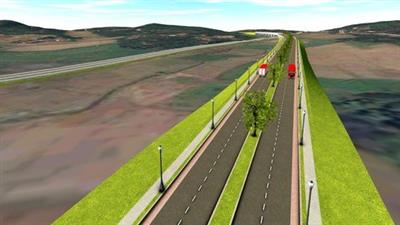
The project objective is to connect a City to an Industrial zone with a two-lane two-way road with a design speed of 50km/h.
We will be using AASHTO 2011 design guidelines as the design reference when doing the designs.
The following list shows the aspects we are covering throughout this course.
1. Introduction - Road Design With AutoCAD Civil 3D
2. Understanding AutoCAD Civil 3D Interface
3. Understand Civil 3D Object Styles, Label styles, and Label Sets
4. Open New Drawing with Civil 3D
5. Import Points into Civil 3D
6. Set External Reference for AutoCAD drawings
7. Create Surface from Points
8. Add Surface Boundary to Civil 3D Surface
9. Add Breaklines to Surface to Civil 3D Surface
10. Export Civil 3D Surface to LandXML
11. Open New Civil 3D Template drawing and Import LandXML Surface into Civil 3D
12. Create Alignment in Civil 3D
13. Create Road Layout in drawing
14. Create Surface Profile and Profile View
15. Add Superelevation to Alignment
16. Create Final Road Profile
17. Set the data bands for Profile View
18. Create Assemblies
19. Create Corridor
20. Target Mapping
21. Split Corridor
22. Create Corridor Surfaces
23. Create Sample Lines and Section Views
24. Calculate Material Quantities
BONUS - CORRIDOR TUTORIALS
Who this course is for:
Engineers, Engineering Students, Draftsman,CAD Engineers
Homepage
https://www.udemy.com/course/road-design-with-autocad-civil-3d/Buy Premium From My Links To Get Resumable Support,Max Speed & Support Me
.html
.html
.html

https://rapidgator.net/file/2a2c4812caecb3f3a204916c7945117a/nhncb.R.D.w.A.C.3.B.C.C.part1.rar.html
https://rapidgator.net/file/762ec850bf892c81822f3733a964ed40/nhncb.R.D.w.A.C.3.B.C.C.part2.rar.html
https://rapidgator.net/file/4e01739dca7effa06c7d2b853141d5bc/nhncb.R.D.w.A.C.3.B.C.C.part3.rar.html
Links are Interchangeable - No Password - Single Extraction
⚠️ Dead Link ?
You may submit a re-upload request using the search feature.
All requests are reviewed in accordance with our Content Policy.
Comments (0)
Users of Guests are not allowed to comment this publication.