
| view 👀:50 |
🙍 oneddl |
redaktor: FreshWap.CC | Rating👍:
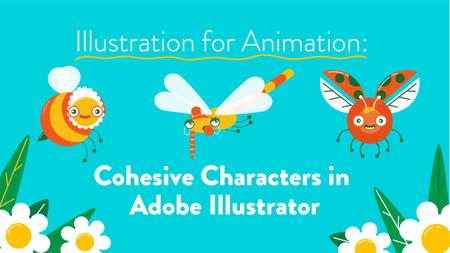
Skillshare - Illustration for Animation Cohesive Characters in Adobe Illustrator
Duration: 1h 44m | Video: .MP4 1280x720, 30 fps(r) | Audio: AAC, 48000 Hz, 2ch | Size: 975 MB
Genre: eLearning | Language: English
In this class, you'll learnhow to create cohesive character illustrations using Adobe Illustrator!By the end of the class, you'll have a set of at least 3 illustrations perfect for a social media campaign, building up your portfolio or to pass on for animation.
Building out your illustrations in Adobe Illustrator creates illustrations that are vector-based, therefore infinitely scalable- meaning a postage stamp or a 42 sheet billboard is achievable from just one illustration!
Hi! My name is Kay and I used to trap and look at bugs in jars... as a kid! (Don't worry I let them go again)
Follow along with me to:
Research and develop limitations to come up with a concept (using a brief..or not!)
Sketch out cohesive illustrations using these limitations
Build, layer, and colour step-by-step in Adobe Illustrator
Export your illustrations as .png or .jpeg
This class is perfect for anyone with an interest in building vector-based graphics with Illustrator! Ithas been designed from my own perspective so is particularly helpful forillustrators who want to learn how to build out illustrations in Adobe Illustrator. Character designers too - animators will love you for the crazy good layering techniques I use in this class!
You don't need any prior knowledge of Adobe Illustrator as I'll explain everything step-by-step; from how to set up your Illustrator workspace for easy workflow; to all my favourite little tips and tricks I've picked up over the years. I've been building in Illustrator since I first started designing for motion, so I've designed the course withall my best habits and workflows that I've picked up to reach a file that is perfect to send to animators!
The main software we'll be using is Adobe Illustrator, so make sure you have access to this! I do mention some plug-ins I use during the course although these are not essential, just handy to have! To sketch, I will be using Procreate on an iPad,but a simple pen and paper will doperfectly too.
All resources from the class are available in the RESOURCES file so you see how I've constructed my files in layers, ready for easy access or animation. You are welcome to use my sketches for your own building practice if you wish, although I really recommend following along to create your own unique illustrations.
Illustrator has always been my favourite Adobe software to use and I can't wait to guide you through it so let's get started!
Buy Premium From My Links To Get Resumable Support,Max Speed & Support Me
.html
Links are Interchangeable - No Password - Single Extraction
⚠️ Dead Link ?
You may submit a re-upload request using the search feature.
All requests are reviewed in accordance with our Content Policy.
Comments (0)
Users of Guests are not allowed to comment this publication.