
| view 👀:52 |
🙍 oneddl |
redaktor: FreshWap.CC | Rating👍:
Udemy - Grafana and Prometheus - The only course you need !
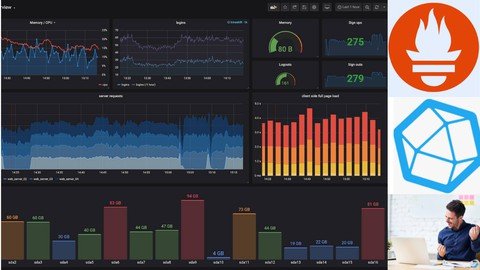
Genre: eLearning | MP4 | Video: h264, 1280x720 | Audio: AAC, 44.1 KHz
Language: English | Size: 876 MB | Duration: 2h 15m
Learn Grafana 8 and create stunning Dashboards, Enable Alerting, Explore Various Datasources (Prometheus, InfluxDB etc)
What you'll learn
Grafana Introduction
Grafana Overview and Overall Architecture
Installing Grafana on a Linux Server
Installing Grafana on Windows
Starting, Stopping Grafana Services on Windows
Installing Grafana on Docker
Prometheus Introduction
Prometheus Overview and Overall Architecture
Installing and Managing Prometheus on a Linux Server
Installing and Managing Prometheus Node Exporter on a Linux Server
Creating Grafana Dashboards
Grafana User Interface Overview
Installing and Managing InfluxDB Services
Installing and Managing Telegraf Services
Grafana Dashboard - Server Health Summary Dashboard
Graph Panel - CPU & Memory Utilization
Graph Panel - Multiple Servers & Problem Statement to use Grafana Variables
Custom Variable - Static Variable Values
Query Variable - Dynamic Variable Values
Dependent Varialbes - Cascaded Variables
Automatic Repeat Panel Based on Variable Value
Organizing Panels and Dashboards for Easy Management
Repeat Row to Create Dynamic Grafana "Summary Dashboard"
Fixing Y Axis' Minimum and Maximum Value in Graph Panel
Creating Thresholds in Graph Visualizations
Python Program to Increase Memory Utilization for Testing Purpose
Creating Thresholds in Graph Visualization and StatsD Graphs
Advance Tabular Visualization With Gauge in one column
Advance Stat Visualization in Grafana 7
Exploring More Visualization Properties - Legends, Axis, Series Override
Creating Grafana Dashboard Using MySQL As Data Source
Using Custom SQL Query to Create Dashboard
Monitoring Websites and Docker Services
Monitoring Websites or URL Using Grafana
Monitor Docker Services
Installing Plugins
Installing Plugins and Creating Pie Chart Visualization
Creating Alerts and Annotation in Dashboards in Grafana
Grafana Email Alerts Configuration
Grafana and Telegram Integration and Alerts Configuration
Users and Roles Creation and Management in Grafana
User and Roles Creation in Grafana
Embedding Grafana Panel on Any Website
Embedding Grafana Panel in any HTML Page (Website)
Upgrading Grafana From Version 7 to Version 8 (Latest Version)
Changing Grafana Database to MySQL
Description
Grafana is one of the world's leading open-source visualization and analytics software. It allows you to query, visualize, alert on, and explore your metrics no matter where they are stored. In short, it provides you with tools to turn your time-series database (TSDB) data into beautiful graphs and visualizations. After creating a dashboard, there are many possible things you might do next such as creating Alerts, Creating a Playlist, etc.
In this course, you will be learning to create beautiful Grafana dashboards by connecting to different data sources such as Prometheus, InfluxDB, MySQL, and many more. This course is created keeping working professionals in mind. So it gets you started without wasting a single minute of your time. That's all for now, See you inside the course.
This course covers most of the topics of Grafana and is the only course you need to go through to learn everything about Grafana.
Here are the topics you are going to learn in this course:
Grafana Introduction
Grafana Overview and Overall Architecture
Installing Grafana on a Linux Server
Installing Grafana on Windows
Starting, Stopping Grafana Services on Windows
Installing Grafana on Docker
Prometheus Introduction
Prometheus Overview and Overall Architecture
Installing and Managing Prometheus on a Linux Server
Installing and Managing Prometheus Node Exporter on a Linux Server
Creating Grafana Dashboards
Grafana User Interface Overview
Installing and Managing InfluxDB Services
Installing and Managing Telegraf Services
Grafana Dashboard - Server Health Summary Dashboard
Graph Panel - CPU & Memory Utilization
Graph Panel - Multiple Servers & Problem Statement to use Grafana Variables
Custom Variable - Static Variable Values
Query Variable - Dynamic Variable Values
Dependent Varialbes - Cascaded Variables
Automatic Repeat Panel Based on Variable Value
Organizing Panels and Dashboards for Easy Management
Repeat Row to Create Dynamic Grafana "Summary Dashboard"
Fixing Y Axis' Minimum and Maximum Value in Graph Panel
Creating Thresholds in Graph Visualizations
Python Program to Increase Memory Utilization for Testing Purpose
Creating Thresholds in Graph Visualization and StatsD Graphs
Advance Tabular Visualization With Gauge in one column
Advance Stat Visualization in Grafana 7
Exploring More Visualization Properties - Legends, Axis, Series Override
Creating Grafana Dashboard Using MySQL As Data Source
Using Custom SQL Query to Create Dashboard
Monitoring Websites and Docker Services
Monitoring Websites or URL Using Grafana
Monitor Docker Services
Installing Plugins
Installing Plugins and Creating Pie Chart Visualization
Creating Alerts and Annotation in Dashboards in Grafana
Grafana Email Alerts Configuration
Grafana and Telegram Integration and Alerts Configuration
Users and Roles Creation and Management in Grafana
User and Roles Creation in Grafana
Embedding Grafana Panel on Any Website
Embedding Grafana Panel in any HTML Page (Website)
Upgrading Grafana From Version 7 to Version 8 (Latest Version)
Changing Grafana Database to MySQL
Homepage
https://www.udemy.com/course/grafana-and-prometheus/Buy Premium From My Links To Get Resumable Support,Max Speed & Support Me
.html

https://rapidgator.net/file/fce77316f04ac8b47a4e13656c4932a1/9j94q.Grafana.and.Prometheus..The.only.course.you.need.rar.html
Links are Interchangeable - No Password - Single Extraction
⚠️ Dead Link ?
You may submit a re-upload request using the search feature.
All requests are reviewed in accordance with our Content Policy.
Comments (0)
Users of Guests are not allowed to comment this publication.