
| view 👀:36 |
🙍 oneddl |
redaktor: FreshWap.CC | Rating👍:
Udemy - Mastering Revit Schedules 2021 (+ Dynamo)
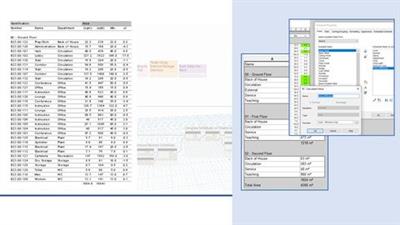
MP4 | Video: h264, 1280x720 | Audio: AAC, 44.1 KHz
Language: English | Size: 2.91 GB | Duration: 3h 49m
What you'll learn
How to create Revit schedules from scratch, editing them to suit their needs, presenting them ready for issue
Additional functionality and tips and tricks with using schedules
Additional Dynamo functionality to work alongside Revit schedules
Requirements
A computer with either a trial or full version of Autodesk Revit 2021
A basic knowledge of the interface and general principles of Autodesk Revit 2021
Familiarity with Dynamo, the visual programming platform built into Revit
Description
Autodesk® Revit® models and the elements within contain a large amount of data, both built-in and user-editable, that can be extracted, tabulated and presented in the form of schedules.
This course will demonstrate the basics of creating schedules, choosing and formatting the data to be displayed, then presenting the resulting information in the form of drawings or alternative exports.
As the course develops you will learn more complex functionality to help you manage not only the schedules themselves but also the information within your Revit model.
The final bonus section of the course will cover using Dynamo (the visual programming platform) for schedule management.
Focusing on schedules for architectural elements, the topics covered can be applied to the AEC other disciplines.
This course is independent of Autodesk, Inc., and is not authorized by, endorsed by, sponsored by, affiliated with, or otherwise approved by Autodesk, Inc.
Autodesk, the Autodesk logo, Autodesk Revit are registered trademarks or trademarks of Autodesk, Inc., and/or its subsidiaries and/or affiliates in the USA and/or other countries. All other brand names, product names, or trademarks belong to their respective holders. Autodesk reserves the right to alter product and services offerings, and specifications and pricing at any time without notice, and is not responsible for typographical or graphical errors that may appear in this document. © 2020 Autodesk, Inc. All rights reserved.
Who this course is for:
Beginner Revit users looking to learn how to create, edit and present Revit schedules
Users already familiar with the software looking for further information / guidance on the functionality of Revit schedules
Homepage
https://www.udemy.com/course/revit-schedules-2021-dynamo/Buy Premium From My Links To Get Resumable Support,Max Speed & Support Me
.html
.html
.html

https://rapidgator.net/file/f148aa6218005863d7a306466dd60532/jt53f.Mastering.Revit.Schedules.2021..Dynamo.part1.rar.html
https://rapidgator.net/file/17792441c18eb9e786bbe8240a74e68d/jt53f.Mastering.Revit.Schedules.2021..Dynamo.part2.rar.html
https://rapidgator.net/file/facce725ad0d03090d81fa5e9d0bfda1/jt53f.Mastering.Revit.Schedules.2021..Dynamo.part3.rar.html
Links are Interchangeable - No Password - Single Extraction
⚠️ Dead Link ?
You may submit a re-upload request using the search feature.
All requests are reviewed in accordance with our Content Policy.
Comments (0)
Users of Guests are not allowed to comment this publication.