
| view 👀:54 |
🙍 oneddl |
redaktor: Baturi | Rating👍:
Franzis HDR projects 9 professional 9.23.03822 + Portable
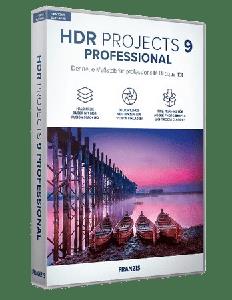
Franzis HDR projects 9 professional 9.23.03822 Multilingual + Portable | 329/418 MB
HDR projects 9 professional - Many new functions and extensions characterize HDR projects 9 professional! Use the professional tools to optimize your images at a high technical level. Create high-resolution, photographic and creative works of art with little effort with the various presets according to your taste.
- Professional image processing for HDR images
- HDR fusion stacking for halo-free images
- Creation of automatic bracketing
- Load exposure sequences from videos
- Can be used as a stand-alone version
- incl. Adobe® plug-ins
The perfectly exposed picture in every difficult situation
HDR technology gets the best possible exposure from difficult exposure situations by combining different exposure levels. Now it's even easier and faster to get the desired result: the 212 presets optimized to the point and the brand new HDR fusion stacking process for absolutely halo-free images get even more out of your photos. This is how you achieve the best results in the shortest possible time!
- NEW: New "HDR Fusion Stacking" process for halo-free HDR images
- NEW: HDR fusion sharpness for optimal sharpness of HDR images
- NEW: Ghost image correction with freely configurable gradient masks
- NEW: Create automatic exposure series with up to 13 images from a single image
- NEW: 6 selectable processes for automatic master image selection
- NEW: 24 additional presets (picture templates): 212 (before 188)
- NEW: Direct transfer function of exposures, masks and result images for selective drawing
- NEW: 12 new effects: e.g. straighten trapezoid, align horizon, clarity, exposure, foil psychedelic
- NEW: Extension of the color module to 10 real-time levels
- NEW: Area protection with more than 100 variants in the modules: RAW module, Enhancement wizard, Grain module, Virtual micro details
- NEW: 3 quality modes Grain Module: Grainy, Balanced, Fine
- NEW: New functions in selective drawing: increase mask, reduce mask, smooth mask intensively, color temperature in composing
- Stand-alone and plug-in for Adobe® Lightroom Classic® and Photoshop®
EXCLUSIVE in the professional version!
HDR projects 9 professional provides the full range of tools and features. Whether professional or beginner, this version produces fascinating HDR results that leave nothing to be desired.
Your advantages with this version
- RAW module with all the editing functions of a professional RAW converter and new extensions such as area protection
- Full range of presets and effects
- Extension to bracketing with up to 250 images (previously 100)
- Load exposure sequences from videos
- Selective drawing with intelligent ambient light function
- Batch processing with automatic exposure bracketing detection
- Export exposure series: Create an exposure series from a JPG or RAW, which you can further edit in any program.
- Support for D65 color spaces, corresponds to the standard light for mean daylight in the noon northern sky and ensures particularly color-true daylight images.
- Point of interest view for fast and resource-saving image analysis and calculation
- Plugin for Adobe® Lightroom Classic® and Photoshop®
New: Sensational results in any light
With the new, revised presets, you can also get difficult lighting conditions under control. Everyone knows the noise problem in low-light situations. The new presets now reduce color noise before tone mapping to produce even cleaner images. So you are guaranteed to have even more of your photos!
144 post-processing filters
Experts don't miss anything in the professional version: there are not only 5 x 212 presets available - passionate image editors have 144 filters on board (from detail enhancer to wave distortion) to finalize the photos after the HDR fusion according to their own wishes. With HDR projects 9 professional you can easily find your own personal, immediately recognizable style!
Retina tone mapping
The color fidelity tone mapping creates a tonal value compression that is modeled on the human eye. For an unprecedented, natural color rendering.
Fascination HDR
With HDR technology, you can take spectacular photos. The finest details, bright colors and an overwhelming richness in contrast will inspire you. Regardless of whether you have taken and processed a series of exposures or a single image. Load your images into HDR projects 9 professional and let the program put together the bracketing series. HDR projects does all the work for you! Then simply choose a suitable image from the more than 212 suggested images or edit the result image further according to your personal taste. There is no easier way to get perfect HDR photos!
NEW: The solution to annoying halos!
This impressive new engine is one of the most important innovations and produces clean HDR images without unwanted light fringes. Dark objects photographed in front of a lighter background often produce unwanted halos (bright light fringes at the edges), which otherwise have to be removed manually. Halos are a common evil in the HDR photography world. Use the new feature HDR-Fusion Stacking! With this sensational new tool, annoying halos don't appear in the first place and you can fully concentrate on editing the image.
Includes plugin for Photoshop and Lightroom
Many ways lead to HDR projects 9 professional, and of course also easily from Adobe® Photoshop® and Lightroom®! A new, fully-fledged filter plug-in for Adobe® Lightroom® Classic and Photoshop® offers maximum convenience for your personal workflow. Simply select the desired image or series of images in the Lightroom® image database, export to HDR projects 9 professional, edit and place the resulting image back in the database.
HDR projects 9 professional
- HDR fusion stacking against halos (light fringes)
- Selective drawing with intelligent ambient light function
- Load exposure sequences from videos
- Ghosting correction with configurable gradient masks
- Max. number of images in bracketing series: 250
- Number of presets (picture templates): 5 x 212
- Number of post-processing filters: 144
- Direct transfer function for selective drawing
- Automatic bracketing (up to 13 images)
- COLOR module: 10 real-time levels
- Format templates for Facebook, Instagram & Co.
- RAW module (extended)
- Batch processing
- Stand alone version
- Adobe® Photoshop® plug-in
- Adobe® Lightroom® Classic plug-in
System Requirements
- Recommended: Windows 10 and higher, 64-bit, Intel I5 processor, 8 GB RAM, resolution 1,920 x 1,080, graphics card: DirectX compatible
- Minimum: Windows 11/10/8.1/7, 64-bit, Intel I3 processor, 4 GB RAM, resolution 1,600 x 900, graphics card: DirectX compatible
Supported Languages
English, French, German
Homepage
https://www.projects-software.com
Download From UploadCloud
https://www.uploadcloud.pro/9n8gfwkee0ai/289hl.Franzis.HDR.projects.9.professional.v9.23.03822.64.Bit.Portable.rar.html
https://www.uploadcloud.pro/gw50kopq77ta/289hl.HDR.9.23.rar.html
![rapidgator]()
https://rapidgator.net/file/1471c0f5fce0a1c06b1bf3d3b191ae79/289hl.Franzis.HDR.projects.9.professional.v9.23.03822.64.Bit.Portable.rar.html
https://rapidgator.net/file/0e6a8bedba4d3194f0d15a1868d9773d/289hl.HDR.9.23.rar.html
https://www.uploadcloud.pro/9n8gfwkee0ai/289hl.Franzis.HDR.projects.9.professional.v9.23.03822.64.Bit.Portable.rar.html
https://www.uploadcloud.pro/gw50kopq77ta/289hl.HDR.9.23.rar.html

https://rapidgator.net/file/1471c0f5fce0a1c06b1bf3d3b191ae79/289hl.Franzis.HDR.projects.9.professional.v9.23.03822.64.Bit.Portable.rar.html
https://rapidgator.net/file/0e6a8bedba4d3194f0d15a1868d9773d/289hl.HDR.9.23.rar.html
Please Help Me Click Connect Icon Below Here and Share News to Social Network | Thanks you !
⚠️ Dead Link ?
You may submit a re-upload request using the search feature.
All requests are reviewed in accordance with our Content Policy.
Discovering free software download can be a game-changer for users looking to enhance their digital experience without breaking the bank. These platforms offer a vast array of software free download options, covering everything from productivity tools to entertainment applications. The beauty of these sites is not just the price (or lack thereof) but also the variety and accessibility they provide, ensuring that there's something for every type of user.
Comments (0)
Users of Guests are not allowed to comment this publication.