
| view 👀:136 |
🙍 oneddl |
redaktor: Baturi | Rating👍:
SYSGeeker AnyWinGo 4.7.2.9 Portable
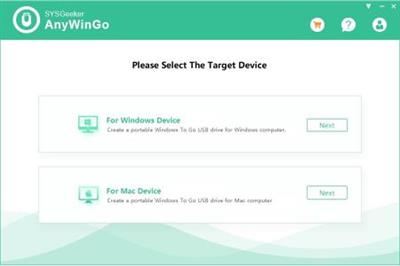
SYSGeeker AnyWinGo 4.7.2.9 Portable | 4.6 Mb
AnyWinGo is a professional and easy-to-use utility that enables you to migrate OS to a new USB drive or external hard drive along with all its configuration, which means you can carry and run your Windows OS anytime and anywhere.
Create Windows To Go Drive from ISO, WIM, VHD, VHDX, ESD
If your computer system is not the enterprise edition of Windows 10, but Home Edition, Professional Edition and Personal Edition, then you can't use the built-in Windows To Go Creator application to create Windows To Go USB drive.
Luckily, AnyWinGo program has the ability to do what Windows To Go creator can't. AnyWinGo tool enables you to copy and run a fully-functional Windows on USB flash and external hard drive by writing an ISO, WIM, ESD, VHD, and VHDX image file, then you can run your Windows from USB drive on any computers.
Clone Existing Windows 10 to USB and External Drive as Portable Windows.
Cloning system is different from copying files, the USB drive can't boot if you directly move the files to USB drive, the reason is that a simple copy doesn't create a MBR or GPT booting info. However, The "Clone" feature builts-in AnyWinGo can clone existing Windows installation (Windows 10, 8.1, 8, 7) to USB drive or external hard drive as portable Windows. The MBR and GPT boot info will be written to the USB drive while cloning system, so your USB drive or hard drive will be bootable on any device.
Create Windows To Go Workspace on a Non-Certified Windows To Go USB Drive
You know the built-in Windows To Go creator requires Microsoft-certified USB drives to create a portable Windows to Go USB drive, if you use the non-certified USB drives then you will probably encounter an incompatibility error or creating speed is very slower or crash sooner due to the high volume of writes.
However, AnyWinGo gives you a chance to create a Windows To Go workspace on all non-certified USB flash drive , such as SanDisk, Kinston, Toshiba or Samsung, regardless of USB 2.0 or 3.0, but considering USB 2.0 port will take a relatively long time while creating, we suggest you to use USB 3.0.
Two Boot Modes: UEFI+ GPU and UEFI+MBR
Most recent PCs are equipped with UEFI boot support, which gives you a faster start-up. So, to make the Windows To Go USB drive also works with UEFI computer, SYSGeeker Windows To Go creator gives you options to format your USB drive or external hard disk as MBR or as GPT, and create an EFI System Partition if you booted it in UEFI mode. All these actions are performed automatically after you confirmation. So, never worry about that Windows To Go drive won't start on a new device.
Operating System: Windows 10/8/7/Vista/XP
Home Page -
https://www.sysgeeker.com/Buy Premium From My Links To Get Resumable Support,Max Speed & Support Me

https://rapidgator.net/file/5f7400a14d0c095faeccc6684b548da5/zsi2p.SYSGeeker.AnyWinGo.4.7.2.9.Portable.rar.html
⚠️ Dead Link ?
You may submit a re-upload request using the search feature.
All requests are reviewed in accordance with our Content Policy.
Discovering free software download can be a game-changer for users looking to enhance their digital experience without breaking the bank. These platforms offer a vast array of software free download options, covering everything from productivity tools to entertainment applications. The beauty of these sites is not just the price (or lack thereof) but also the variety and accessibility they provide, ensuring that there's something for every type of user.
Comments (0)
Users of Guests are not allowed to comment this publication.