
| view 👀:10 |
🙍 oneddl |
redaktor: Baturi | Rating👍:
CoolUtils PDF Combine Pro 4.2.0.186/148 Multilingual Portable
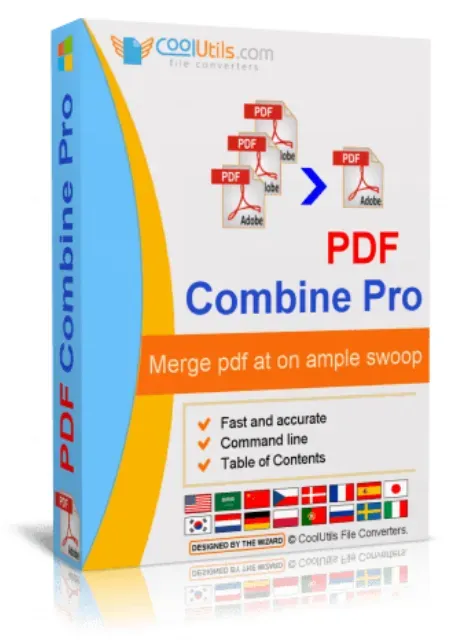
Free Download CoolUtils PDF Combine Pro 4.2.0.186/148 Multilingual Portable | 158 Mb
CoolUtils PDF Combine Pro Portable is a document management utility distributed in a portable format that allows users to combine multiple document types, images, email files, and existing PDF documents into a single PDF without requiring a traditional installation process. It provides a convenient way to organize files from different sources while remaining suitable for use across various Windows environments.
Supporting a wide range of input formats, the portable edition simplifies document consolidation for reports, archives, business records, and legal documentation. It includes tools for generating bookmarks, creating a table of contents, inserting custom cover pages, and processing entire folders, making PDF creation more efficient while maintaining an organized document structure.
Software Overview
CoolUtils PDF Combine Pro Portable supports numerous document and image formats, including DOC, DOCX, RTF, TXT, XLS, XLSX, HTML, HTM, MHT, PS, EPS, PRN, PDF, TIFF, JPEG, PNG, PST, EML, and MSG. Instead of converting files individually, the application combines supported content into a single PDF in one operation, reducing repetitive manual work and simplifying document management.The software also provides practical organization features for large document collections. Users can automatically generate bookmarks, create a table of contents, insert personalized cover pages, merge files according to folder structure or common filename patterns, and apply flexible Bates stamping for legal documentation. Full command-line support allows integration into automated workflows when batch processing documents.
Key Features
- Combines documents, spreadsheets, images, emails, and PDF files into a single PDF.
- Supports DOC, DOCX, RTF, TXT, XLS, XLSX, HTML, HTM, MHT, PS, EPS, PRN, PDF, TIFF, JPEG, PNG, PST, EML, and MSG formats.
- Automatically generates bookmarks for easier document navigation.
- Creates a table of contents for merged PDF documents.
- Inserts custom cover pages before combined files.
- Processes files stored inside multiple folders.
- Combines PDF files based on common filename patterns.
- Creates bookmarks from file names or document titles.
- Includes flexible Bates stamping for legal documents.
- Provides a graphical user interface together with full command-line support.
- Includes ActiveX and Server versions.
- Does not require Adobe Acrobat to generate combined PDF files.
Why Choose CoolUtils PDF Combine Pro
CoolUtils PDF Combine Pro is suitable for users who regularly work with documents collected from different applications and file formats. By combining multiple content types into a single PDF, it simplifies document organization while reducing the need for multiple conversion utilities.The portable edition offers additional flexibility for users who prefer a portable deployment format. Combined with its document management features and automation capabilities, it provides an efficient solution for creating structured PDF documents in both personal and professional environments.
System Requirements
Supported Platform:Microsoft Windows
Frequently Asked Questions
What is CoolUtils PDF Combine Pro Portable used for?
It is designed to combine supported document, image, email, and PDF files into a single PDF while providing tools for organizing and managing the final document.Which file formats are supported?
The application supports DOC, DOCX, RTF, TXT, XLS, XLSX, HTML, HTM, MHT, PS, EPS, PRN, PDF, TIFF, JPEG, PNG, PST, EML, and MSG files.Can bookmarks be created automatically?
Yes. The software can generate bookmarks from document titles or file names to improve navigation within combined PDF documents.Is Adobe Acrobat required?
No. CoolUtils PDF Combine Pro Portable can generate combined PDF documents without requiring Adobe Acrobat.Home Page
https://www.coolutils.com/PDFCombinePro
Product Information
- Software Name: CoolUtils PDF Combine Pro
- Version: 4.2.0.186/148
- Languages: Multilingual
- License type: Portable
- File Size: 158 Mb
Buy Premium From My Links To Get Resumable Support,Max Speed & Support Me
Rapidgator
hdl7d.CoolUtils.PDF.Combine.Pro.4.2.0.186148.Portable.rar.html
UploadCloud
hdl7d.CoolUtils.PDF.Combine.Pro.4.2.0.186148.Portable.rar.html
DDownload
hdl7d.CoolUtils.PDF.Combine.Pro.4.2.0.186148.Portable.rar
FreeDL
hdl7d.CoolUtils.PDF.Combine.Pro.4.2.0.186148.Portable.rar.html
Links are Interchangeable - No Password - Single Extraction
⚠️ Dead Link ?
You may submit a re-upload request using the search feature.
All requests are reviewed in accordance with our Content Policy.
Discovering free software download can be a game-changer for users looking to enhance their digital experience without breaking the bank. These platforms offer a vast array of software free download options, covering everything from productivity tools to entertainment applications. The beauty of these sites is not just the price (or lack thereof) but also the variety and accessibility they provide, ensuring that there's something for every type of user.
Comments (0)
Users of Guests are not allowed to comment this publication.