
| view 👀:82 |
🙍 oneddl |
redaktor: Baturi | Rating👍:
Office Installer / Office Installer Plus 1.34 by Ratiborus
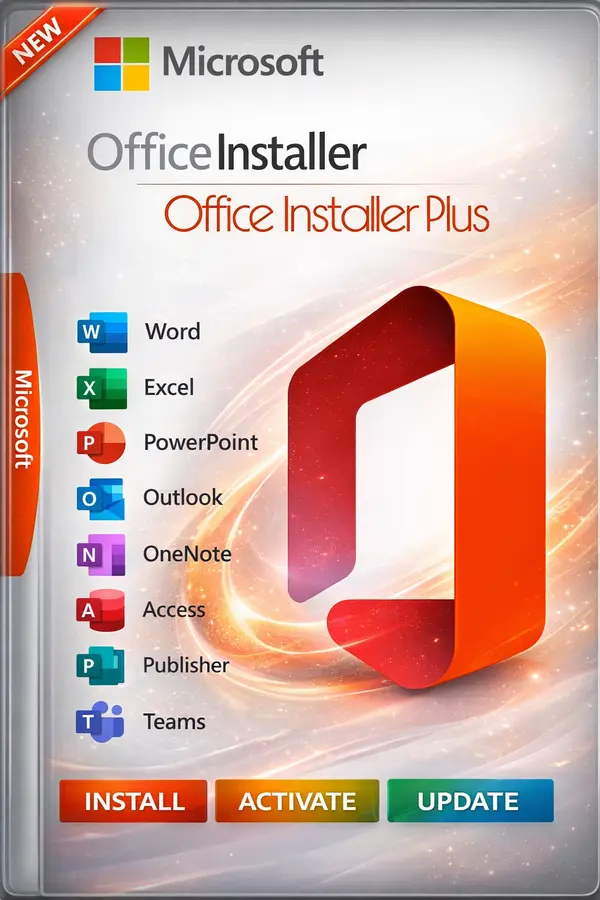
Free Download Office Installer / Office Installer Plus 1.34 by Ratiborus is a powerful and flexible tool designed for online and offline installation of Microsoft Office 2016, 2019, 2021, and Office 2024 (Click-to-Run). This utility allows users to fully control the Office installation process, create custom offline Office distributions, and manage licenses efficiently.
Office Installer Plus is ideal for advanced users, system administrators, and IT professionals who need a reliable solution to deploy Microsoft Office on multiple systems without repeated downloads.
🚀 KEY FEATURES – OFFICE INSTALLER PLUS
✔ Install, Uninstall & Clean Office C2R
• Uninstall Office Click-to-Run using the standard Uninstall button
• Force remove Office C2R completely and restart the system
• Install Office with one click using predefined settings
✔ Create Offline Office Installers
• Download Office distributions for offline installation
• Choose Office version, architecture (x86 / x64), and language
• Create combined x86+x64 distributions
• Resume interrupted downloads from previous sessions
• Build a ready-to-use ISO image of Microsoft Office
✔ Download Office Tab – How It Works
1. Select Office version, bitness, and language
2. Click Download and choose a folder for distribution files
3. Add more versions or languages to the same folder if needed
4. Click Create ISO to generate an offline Office installer
5. Use the resulting package for installation without internet access
✔ Command-Line & Silent Installation Support
• /install
Run Office Installer Plus in silent mode using saved configuration
Requires Office Installer.ini next to the executable
• /ini:"filename.ini"
Use a custom preset INI file for automated installations
✔ Office Activation Management
• Built-in Activate Office button
• Supports online KMS activation
• Add custom KMS servers via Office Installer+.ini
• Example:
(Default port: 1688 if not specified)
✔ License Cleanup Utility
• Remove leftover Office licenses after uninstall
• Prevent version mismatch issues (e.g., Office 2016 shown instead of 2024)
• Optional deletion of old product keys
⚙️ SYSTEM REQUIREMENTS
• x86 or x64 processor, 1 GHz or faster (SSE2 support required)
• 2 GB RAM recommended
• 3.0 GB free disk space
• Screen resolution: 1280x800
• DirectX 10 compatible GPU for hardware acceleration
• Supported OS:
– Windows 11 / 10 / 8.1 / 8
– Windows 7 SP1
– Windows Server 2008 R2 / 2012 / 2012 R2 / 2016 / 2019
• Internet connection required for online installation
🆕 WHAT'S NEW IN VERSION 1.34
• Improved stability and reliability for RU region users
✔ Install, Uninstall & Clean Office C2R
• Uninstall Office Click-to-Run using the standard Uninstall button
• Force remove Office C2R completely and restart the system
• Install Office with one click using predefined settings
✔ Create Offline Office Installers
• Download Office distributions for offline installation
• Choose Office version, architecture (x86 / x64), and language
• Create combined x86+x64 distributions
• Resume interrupted downloads from previous sessions
• Build a ready-to-use ISO image of Microsoft Office
✔ Download Office Tab – How It Works
1. Select Office version, bitness, and language
2. Click Download and choose a folder for distribution files
3. Add more versions or languages to the same folder if needed
4. Click Create ISO to generate an offline Office installer
5. Use the resulting package for installation without internet access
✔ Command-Line & Silent Installation Support
• /install
Run Office Installer Plus in silent mode using saved configuration
Requires Office Installer.ini next to the executable
• /ini:"filename.ini"
Use a custom preset INI file for automated installations
✔ Office Activation Management
• Built-in Activate Office button
• Supports online KMS activation
• Add custom KMS servers via Office Installer+.ini
• Example:
KMS=server1.domain:4533,server2.domain
(Default port: 1688 if not specified)
✔ License Cleanup Utility
• Remove leftover Office licenses after uninstall
• Prevent version mismatch issues (e.g., Office 2016 shown instead of 2024)
• Optional deletion of old product keys
⚙️ SYSTEM REQUIREMENTS
• x86 or x64 processor, 1 GHz or faster (SSE2 support required)
• 2 GB RAM recommended
• 3.0 GB free disk space
• Screen resolution: 1280x800
• DirectX 10 compatible GPU for hardware acceleration
• Supported OS:
– Windows 11 / 10 / 8.1 / 8
– Windows 7 SP1
– Windows Server 2008 R2 / 2012 / 2012 R2 / 2016 / 2019
• Internet connection required for online installation
🆕 WHAT'S NEW IN VERSION 1.34
• Improved stability and reliability for RU region users
Buy Premium From My Links To Get Resumable Support,Max Speed & Support Me
DDownload
Office_Installer_Plus_1.34.rar
Rapidgator
Office_Installer_Plus_1.34.rar.html
FreeDL
Office_Installer_Plus_1.34.rar.html
No Password - Links are Interchangeable
⚠️ Dead Link ?
You may submit a re-upload request using the search feature.
All requests are reviewed in accordance with our Content Policy.
Discovering free software download can be a game-changer for users looking to enhance their digital experience without breaking the bank. These platforms offer a vast array of software free download options, covering everything from productivity tools to entertainment applications. The beauty of these sites is not just the price (or lack thereof) but also the variety and accessibility they provide, ensuring that there's something for every type of user.
Comments (0)
Users of Guests are not allowed to comment this publication.