
| view 👀:26 |
🙍 oneddl |
redaktor: Baturi | Rating👍:
Movavi Video Suite 2026 v26.0.0 Multilingual (x64)
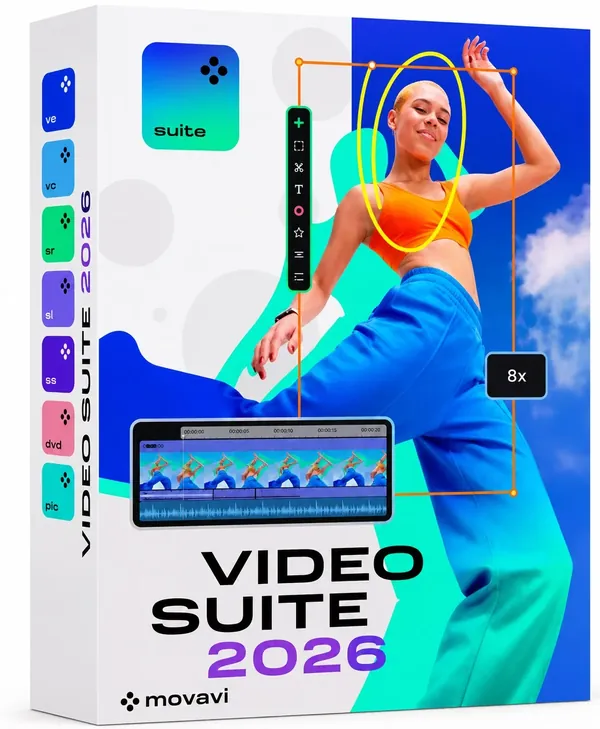
Free Download Movavi Video Suite 2026 v26.0.0 (x64) Multilingual | 402.8 Mb
Movavi Video Suite is an all-in-one video creation application that combines video editing, screen recording, media conversion, and additional multimedia tools in a single workspace. It is designed for users who want to create, edit, enhance, and share videos without requiring advanced editing experience.
The software is suitable for content creators, educators, streamers, and everyday users who need a convenient solution for producing tutorials, presentations, social media videos, and personal projects. Its intuitive interface and automated features help simplify common video production tasks.
Software Overview
Movavi Video Suite provides a complete set of tools for editing video content, recording screens and webcams, converting media files, and preparing videos for different platforms. The timeline-based editor allows users to cut clips, adjust colors, improve audio quality, and apply visual effects through a simple workflow.The application includes AI-assisted tools such as automatic subtitles, background removal, stabilization, and noise reduction to improve video quality. It also provides additional utilities including a media player, CD/DVD burning tools, and access to built-in stock content.
Key Features
- Edits videos using a drag-and-drop timeline interface.
- Supports screen and webcam recording.
- Creates subtitles automatically in multiple languages.
- Includes effects, transitions, and animated titles.
- Provides AI-based stabilization and noise reduction tools.
- Removes video backgrounds using AI-powered processing.
- Converts media files with support for more than 180 formats.
- Supports picture-in-picture video creation.
- Includes media playback and disc burning utilities.
- Provides built-in stock content resources.
Why Choose Movavi Video Suite
Movavi Video Suite combines essential video production tools into one application, allowing users to edit, record, convert, and enhance media without switching between multiple programs. Its accessible interface makes it suitable for beginners while still providing useful features for experienced creators.The software is a practical choice for users who need a complete multimedia workflow for creating tutorials, presentations, online content, and personal videos.
System Requirements
- Operating System: Windows (64-bit)
- Architecture: x64
Frequently Asked Questions
What is Movavi Video Suite used for?
Movavi Video Suite is used for video editing, screen recording, media conversion, and creating multimedia content.Does Movavi Video Suite support screen recording?
Yes. The software includes tools for recording desktop activity and webcam video.Can Movavi Video Suite convert video files?
Yes. It includes a media converter that supports more than 180 formats.Does Movavi Video Suite include AI tools?
Yes. It provides AI-assisted features such as subtitles, stabilization, noise reduction, and background removal.Home Page
https://www.movavi.com/
Product Information
- Software Name: Movavi Video Suite
- Year of release: 2026
- Version: 26.0.0
- Architecture: x64
- Languages: Multilingual
- License type: Full Version
- File Size: 402.8 Mb
Buy Premium From My Links To Get Resumable Support,Max Speed & Support Me
Rapidgator
b5owb.Movavi_Video_Suite_2026_v26_0_0.rar.html
UploadCloud
b5owb.Movavi_Video_Suite_2026_v26_0_0.rar.html
DDownload
b5owb.Movavi_Video_Suite_2026_v26_0_0.rar
FreeDL
b5owb.Movavi_Video_Suite_2026_v26_0_0.rar.html
Links are Interchangeable - No Password - Single Extraction
⚠️ Dead Link ?
You may submit a re-upload request using the search feature.
All requests are reviewed in accordance with our Content Policy.
Discovering free software download can be a game-changer for users looking to enhance their digital experience without breaking the bank. These platforms offer a vast array of software free download options, covering everything from productivity tools to entertainment applications. The beauty of these sites is not just the price (or lack thereof) but also the variety and accessibility they provide, ensuring that there's something for every type of user.
Comments (0)
Users of Guests are not allowed to comment this publication.