
| view 👀:40 |
🙍 oneddl |
redaktor: Baturi | Rating👍:
Blackmagic Design DaVinci Resolve Studio 21.0.3 Multilingual (x64)
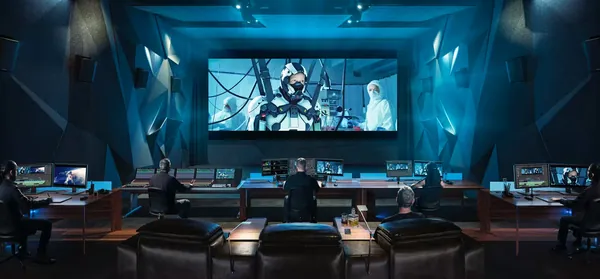
Free Download Blackmagic Design DaVinci Resolve Studio 21.0.3 (x64) Multilingual | File Size: 9.6 GB
Blackmagic Design DaVinci Resolve Studio is a professional video post-production application that combines video editing, color correction, visual effects, motion graphics, and audio post-production in a single integrated environment. It is widely used by filmmakers, video editors, broadcasters, content creators, and post-production studios to produce projects ranging from online videos to feature films.
The software brings together multiple creative workflows within one project, allowing editors, colorists, visual effects artists, and audio engineers to collaborate efficiently without moving media between separate applications. Its support for high-resolution formats, GPU acceleration, and advanced finishing tools makes it suitable for demanding production environments.
Software Overview
DaVinci Resolve Studio provides a complete post-production workflow that includes non-linear editing, professional color grading, Fusion visual effects, Fairlight audio production, and media management. The Studio edition expands the standard feature set with advanced GPU acceleration, higher resolution support, AI-powered tools, HDR workflows, stereoscopic editing, scripting capabilities, and collaborative production features.The software supports professional video formats, multi-GPU configurations, hardware-accelerated encoding and decoding, advanced color management, and workflow integration for modern film, television, and digital media production.
Key Features
- Support for resolutions up to 32K at up to 120 fps
- Multiple GPU acceleration for improved playback and rendering performance
- Hardware-accelerated H.264 and H.265 encoding and decoding
- Advanced AI-powered voice isolation, music remixer, and dialogue separation
- Professional HDR10+ and Dolby Vision grading and rendering
- Additional Resolve FX including AI UltraNR, SuperScale, and de-interlacing
- Advanced temporal and AI spatial noise reduction
- Lens distortion analysis and correction tools
- Professional HDR scopes with ST.2084 and HLG support
- Complete stereoscopic 3D editing and grading workflow
- Remote monitoring and remote color grading
- DaVinci Color Transform Language (DCTL) support
- Python and Lua scripting with developer APIs
- Workflow integration plug-ins and media asset management support
- Full-screen playback on a secondary monitor
Why Choose Blackmagic Design DaVinci Resolve Studio
DaVinci Resolve Studio is designed for professional video production workflows that require advanced editing, color grading, visual effects, and audio finishing within a single application. Its integrated toolset reduces the need to switch between multiple programs during post-production.The Studio edition also provides advanced AI features, collaborative workflow capabilities, scripting support, and GPU acceleration that benefit professional editors, production teams, and content creators working with high-resolution media.
What's New
For detailed changes in this release, refer to the official changelog:https://forum.blackmagicdesign.com/viewforum.php?f=21
System Requirements
Windows 10 Creators Update.16 GB of system memory or 32 GB when using Fusion.
For monitoring, Blackmagic Design Desktop Video 12.9 or later.
Integrated GPU or discrete GPU with at least 4 GB of VRAM.
At least 16 GB VRAM for advanced AI tools.
At least 32 GB RAM and 12 GB VRAM for background rendering.
GPU which supports OpenCL 1.2 or CUDA 12.8.
AMD/Intel official drivers from your GPU manufacturer.
NVIDIA Studio driver 581.57 or newer.
Frequently Asked Questions
What is DaVinci Resolve Studio used for?
It is used for professional video editing, color grading, visual effects, motion graphics, and audio post-production.
Does DaVinci Resolve Studio support AI-powered tools?
Yes. The Studio edition includes AI-powered features such as voice isolation, music remixing, dialogue separation, AI noise reduction, and SuperScale.
Can DaVinci Resolve Studio utilize multiple GPUs?
Yes. The software supports multiple GPU configurations to improve playback, rendering, and processing performance.
Which scripting languages are supported?
DaVinci Resolve Studio supports both Python and Lua scripting along with developer APIs for workflow automation.
Home Page
https://www.blackmagicdesign.com/products/davinciresolve/studio
Product Information
- Software Name: Blackmagic Design DaVinci Resolve Studio
- Version: 21.0.3
- Architecture: x64
- Languages: Multilingual
- License type: Full Version
- File Size: 9.6 GB
Buy Premium From My Links To Get Resumable Support,Max Speed & Support Me
Rapidgator
4e5n6.Blackmagic_Design_DaVinci_Resolve_Studio_21.0.3.rar.html
UploadCloud
4e5n6.Blackmagic_Design_DaVinci_Resolve_Studio_21.0.3.rar.html
DDownload
4e5n6.Blackmagic_Design_DaVinci_Resolve_Studio_21.0.3.rar
FreeDL
4e5n6.Blackmagic_Design_DaVinci_Resolve_Studio_21.0.3.rar
Links are Interchangeable - No Password - Single Extraction
⚠️ Dead Link ?
You may submit a re-upload request using the search feature.
All requests are reviewed in accordance with our Content Policy.
Discovering free software download can be a game-changer for users looking to enhance their digital experience without breaking the bank. These platforms offer a vast array of software free download options, covering everything from productivity tools to entertainment applications. The beauty of these sites is not just the price (or lack thereof) but also the variety and accessibility they provide, ensuring that there's something for every type of user.
Comments (0)
Users of Guests are not allowed to comment this publication.