
DraftSight Enterprise Plus 2024 SP2 Win x64
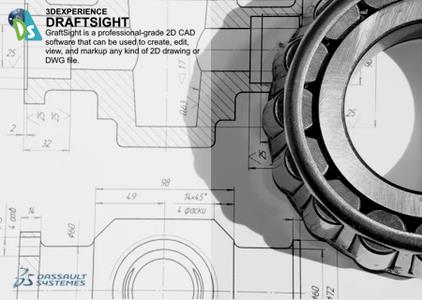
Free Download DraftSight Enterprise Plus 2024 SP2 | 860.0 mb
Languages Supported: Čeština, Deutsch, English, Français, Italiano, 日本語, 한국어,
Polski, Português, Русский, Español, Türkçe, 中文 (Simplified)
Owner:Dassault Systèmes SolidWorks Corp.
Product Name:DraftSight
Version:Enterprise Plus 2024 SP2
Supported Architectures:x64
Website Home Page :www.draftsight.com
Languages Supported:multilanguage
System Requirements:Windows *
Size:860.0 mb
TheDassault Systemesdevelopment team is pleased to announce the availability ofDraftSight 2024 SP2is major software powerful, and includes your most asked-for capabilities and functionality. DraftSight lets you create, edit, view and markup any kind of 2D and 3D DWG file with greater ease, speed and efficiency.
DraftSight 2024 is a robust DWG design solution featuring a refined UI, tool palettes, layer palette, and the ability to merge layers for ✅File Size reduction. It introduces data link for Excel integration and efficient reference attachment. The update also brings enhanced hatch editing, improved layer control, a Mac OS Ribbon UI, and the unique ability to import CATIA drawings as DWG files. Explore all of the new features in DraftSight 2024.
Tool Palettes
Streamline the process of creating drawings and maintain uniformity. Access all your frequently utilized commands and functions conveniently in a single location. Guarantee that newly generated elements adhere to predefined standards throughout your drawings.
Layer Palette
Exercise greater layer control with the Layer Palette for all your layer commands within a single, accessible interface. The transition from a dialog box to a versatile palette not only enhances the visual workspace but also promotes efficiency. Now, you can efficiently manage your layers without interruption. This means that you can focus on your drawing, making adjustments to layers, and organizing your project, all while keeping your drawing in view.
CATIA Drawing Import
The DraftSight 2024 release includes support for CATIA drawings allowing you to collaborate with your supply chain with clarity and precision. You now have the ability to import CATIA drawings directly into DraftSight and open them as DWG files with no manual conversion required.
Enhanced User Interface
Navigate standard views and isometric views with ease by using the newly introduced View navigator in DraftSight 2024. Experience reduced eyestrain and enhanced feature visibility with the default Dark mode interface. In addition, a new workspace, CAD General, has been introduced. This workspace organizes all the tools in a conventional manner, similar to other CAD software's, ensuring a smooth transition for DraftSight users.
Data Link
Introducing the new Data Link feature in DraftSight 2024. Now you can easily embed Excel files, maintaining real-time accuracy through two-way communication. Enhance your data management and foster cross-file collaboration with this advanced capability.
Merge Layer
DraftSight 2024 brings the Merge Layers feature, a robust tool designed to consolidate multiple layers into a single layer. This new addition simplifies complex drawings and allows for the organization of related entities, leading to optimized drawings that enhance efficiency and ensure precision in both 2D and 3D projects.
Attach Multiple Xrefs
Now you can conveniently attach multiple reference files at once. To utilize this feature, click "Attach Drawing" and choose the desired files, including image PDFs and DGN files. Reduce time spent managing file paths and get back to drafting quicker with this great new addition to DraftSight 2024.
Export Sheet
Now with DraftSight 2024 you can rapidly create new drawings from existing files without loss of detail. Export all the visible entities of the active sheet viewports in model space to a new drawing. This feature enables you to improve the legibility and focus of specific sections, areas, or views within your drawing by exporting scaled representations of model space, title blocks, and other annotative elements, including dimensions and notes.
Ribbon Based Interface for MacOS
Experience enhanced Ribbon UI for DraftSight on macOS. In the previous Mac version, the interface was menu-based with limited customization options. Now, macOS users can enjoy a unified, optimized user interface, providing the same experience as our Windows users.
Make Flat Snapshot Improvements
In DraftSight 2024, a significant improvement has been made to the Make Flat Snapshot command. Now, you can easily link foreground and hidden lines to specific layers from the Flat Snapshot dialog, enhancing organization and enabling swift visibility adjustments based on layer associations.
Reshaping Hatches
Explore the latest enhancements in DraftSight's hatch functionality, providing users with greater flexibility when reshaping hatches, all without the hassle of recreating them. This is achieved by breaking the associative link between the hatch and its original boundary, unlocking a range of grips surrounding the entire hatch. These grips empower users to execute a multitude of actions, including stretching, vertex insertion, and converting to arcs.
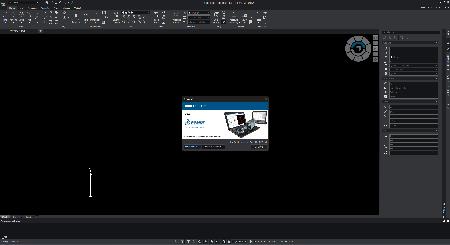
DraftSightis a feature-rich 2D and 3D CAD solution for architects, engineers and construction service providers, as well as professional CAD users, designers, educators and hobbyists, and includes your most asked-for capabilities and functionality. DraftSight lets you create, edit, view and markup any kind of 2D and 3D DWG file with greater ease, speed and efficiency. Its familiar user interface facilitates a quick transition from your current CAD application. Real design freedom is letting you work the way you want to work. It's the ability to effortlessly go from 2D drafting to 3D modeling and back again in order to optimize and maximize designs. And the capability to seamlessly integrate with other Dassault Systèmes and SOLIDWORKS solutions, including SOLIDWORKS PDM to easily manage your DWG file designs from first inspiration to final outcome.
DraftSight 2024adds a range of new productivity tools including UI enhancements, tool palettes, layer palette, merge layers, CATIA drawing import and more.
DraftSight 2024 Overview
Dassault Systèmes SolidWorks Corp.offers complete 3D software tools that let you create, simulate, publish, and manage your data. SolidWorks products are easy to learn and use, and work together to help you design products better, faster, and more cost-effectively. The SolidWorks focus on ease-of-use allows more engineers, designers and other technology professionals than ever before to take advantage of 3D in bringing their designs to life.

Rapidgator
https://peeplink.in/3011ec42ad32
Uploadgig
⚠️ Dead Link ?
You may submit a re-upload request using the search feature.
All requests are reviewed in accordance with our Content Policy.
Discovering free software download can be a game-changer for users looking to enhance their digital experience without breaking the bank. These platforms offer a vast array of software free download options, covering everything from productivity tools to entertainment applications. The beauty of these sites is not just the price (or lack thereof) but also the variety and accessibility they provide, ensuring that there's something for every type of user.
Comments (0)
Users of Guests are not allowed to comment this publication.