
| view 👀:28 |
🙍 oneddl |
redaktor: Baturi | Rating👍:
Mastercam 2027 Beta Update 3 Win x64 English
Mastercam 2027 Beta Update 3 | 2.0 Gb
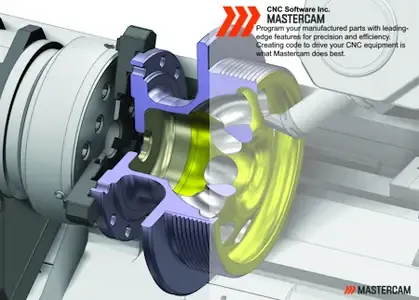
CNC Software, Inc.has released Update 3 (Patch 3) of Mastercam 2027 Public Beta is a powerful computer-aided design (CAD) and computer-aided manufacturing (CAM) software used for designing and creating parts, products, and toolpaths. It is widely used in the manufacturing industry, specifically in the areas of aerospace, automotive, medical, and energy sectors.
What to Expect from this Release:The EverPath environment is currently in a Beta state. A Beta release means that EverPath is stable, but some areas are not yet complete. A Beta release is our time to work with you, experiment, and iterate rapidly based on your feedback. While most major components are useable at this stage, you may see placeholders as we work to bring certain features and functions to life. Between this Beta and the public release of EverPath, we expect to add/change cut patterns, refine controls, rename areas, add new capabilities, and integrate with existing Mastercam functions and conventions. With each iteration, we look forward to adding and sharing these features and updates with you.
Mastercam 2027 Public Beta Update 3 Release Highlights
Listed below are a few of the highlights from this release:
Expanded Editor Environment capabilities
- New toolpath edit - Change Rapid or Feed allows you to change the feed rate settings of individual toolpath points.
- New selection capabilities and display options to improve the editing workflow.
Toolpath Creation usability enhancements
- Improved stability across EverPath environment with backwards compatibility checks, greater tool support, more consistent initial toolpath results, and resolution of inconsistencies when switching between 3-axis and 5-axis motion.
- Better interoperability with standard Mastercam functionality such as Toolpath Transform and Multi-Threading Manager.
Automatic Linking enhancements
- Automatic arc linking calculation is now 10-50x faster.
- Improved the default linking behavior in various scenarios.
- Additional part clearance options in automated strategies.
Mastercamis a leading CAD/CAM solution that offers advanced design tools and machining features. Mastercam is currently the most widely used CAM software in the world. Designed for and by machining experts, Mastercam CAM products offer solutions for milling, turning, mill-turn, Swiss turning, wire EDM, and routing. Add-ons for specialty parts and for multiaxis machining are available as well.
Mastercam Training
Founded in Massachusetts in 1983,CNC Software, Inc.is one of the oldest developers of PC-based computer-aided design / computer-aided manufacturing (CAD/CAM) software. They are one of the first to introduce CAD/CAM software designed for both machinists and engineers Mastercam. CNC Software, Inc. is now located in Tolland, Connecticut.
Сopyright holder \ Distributor:CNC Software Inc.
Product Name:Mastercam
Version:2027 Beta Update 3
Supported Architectures:x64
Website Home Page :www.mastercam.com
Languages Supported:english
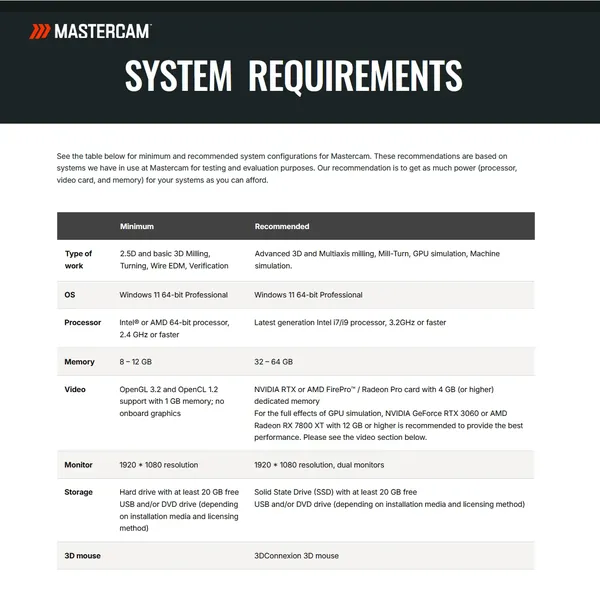
System Requirements:Windows *
Size in archive:2.0 Gb
Buy Premium From My Links To Get Resumable Support,Max Speed & Support Me
Rapidgator-->Click Link PeepLink Below Here Contains Rapidgator
https://peeplink.in/e3dac28463fb
Password: 123
DDownload
07myq.Mastercam-2027-Beta-Update-3.rar
LoadMe
https://www.loadme.cc/file/a8ec6370e5a4428fa64d/07myq.Mastercam-2027-Beta-Update-3.rar/
FreeDL
07myq.Mastercam-2027-Beta-Update-3.rar.html
Links are Interchangeable - No Password - Single Extraction
⚠️ Dead Link ?
You may submit a re-upload request using the search feature.
All requests are reviewed in accordance with our Content Policy.
Discovering free software download can be a game-changer for users looking to enhance their digital experience without breaking the bank. These platforms offer a vast array of software free download options, covering everything from productivity tools to entertainment applications. The beauty of these sites is not just the price (or lack thereof) but also the variety and accessibility they provide, ensuring that there's something for every type of user.
Comments (0)
Users of Guests are not allowed to comment this publication.