
| view 👀:19 |
🙍 oneddl |
redaktor: Baturi | Rating👍:
PTC Creo View 13.0.0.0 Win x64 multilanguage
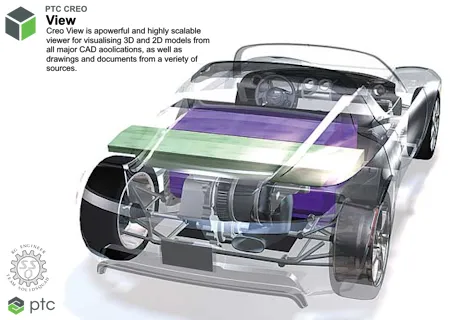
Free Download PTC Creo View 13.0.0.0 | 2.1 Gb
Languages Supported: English, Deutsch, Français, Italiano,
Español, 日本語, 中文, 한국어, Português, Русский.
PTC has released Creo View 13.0.0.0 is a simple but powerful enterprise visualization technology that enables virtually effortless collaboration across local and global design teams.
What's new in Creo View 13
What's New in Creo View MCAD
Improved Selection of Model Annotations
Description: Selecting model annotations in Creo View is now easier and more precise. To improve usability, annotations include a hidden selection area around annotation lines, making it easier to select the exact points on the lines.
Benefits : This improvement helps users select model annotations more quickly and accurately, reducing the need to target narrow lines and improving overall productivity.
Java Toolkit Updated to JDK 17
Description: The Java toolkit library (pview.jar), which provides the API for interacting with Creo View through Java embedding, is now built with JDK 17. JDK 17 is the minimum Java Runtime Environment (JRE) version required to use the toolkit. Later supported JRE versions can also be used.
Benefits : Updating the toolkit to a modern JDK version helps keep the Java integration current and aligned with the supported Java technologies.
New Modern Watermark Editor
Description: Creo View now includes a modern watermark editor with a web-based interface for creating watermarks. The updated editor provides a cleaner, more intuitive experience and supports future Windchill integration capabilities.
Benefits : The modern interface makes it easier and more efficient to create and manage watermark configurations.
Highlighted Surfaces of Model Annotations in Section Cuts
Description: Surface highlights referenced by model annotations are now included in section cuts in Creo View. This behavior aligns with Creo Parametric, ensuring that section cuts display the surfaces associated with model annotations.
Benefits : This improvement provides more consistent and complete visual feedback when working with section cuts and model annotations.
PTC Creo View 13.0.0.0
What's New in Creo View ECAD
ECAD Layer Colors Defined in Source
Description: Creo View ECAD now supports the viewing and overriding layer colors defined in the source ECAD application. Layer colors imported using the IPC‑2581 format can be visualized in Creo View ECAD.
Benefits : This enhancement improves MCAD‑ECAD collaboration by providing consistent layer color visualization across the ECAD application, Creo View ECAD, and Creo Parametric.
What's New in Creo View MCAD Adapters
PDF Publishing Support with Adobe Experience Manager (AEM) 6.5.24
Description:
- The Creo View Adapter for PDF now supports Adobe Experience Manager (AEM) 6.5.24.
- With this update, you can use the latest AEM 6.5.x release for server-side PDF generation workflows, consistent with Adobe's current long-term support version.
Benefits :
- You can use the latest version of AEM with Microsoft Office 2021 for PDF publishing.
Creo View Adapter for AutoCAD
Description: The Creo View Adapter now provides native support for AutoCAD DWG files, enabling publishing and visualization of AutoCAD data. Publishing and visualization use ODA libraries, removing the dependency on AutoCAD authoring software.
The adapter can also generate the following additional output files during publishing:
- PDF, PDF/A
- SVG
- Raster images (PNG, JPG, BMP)
- PRC for 3D PDF
- DWG, DXF, DGN, DWF
Benefits :
- Supports publishing and visualization of AutoCAD DWG and DXF files directly in Creo View.
- Reduces licensing and infrastructure costs by removing the need for AutoCAD installations on publishing worker machines.
Publishing to SSO-Configured Windchill Using OAuth Client Credentials Grant (CCG)
Description:
- The Creo View Adapters now support publishing to SSO-configured Windchill environments using OAuth 2.0 Client Credentials Grant (CCG) authentication.
- This enhancement enables third-party adapter workers (such as NX, CATIA, and Inventor) and CEDD/M to publish content to Windchill instances configured with modern SSO, eliminating the need for legacy Trusted Host-based authentication when OAuth is enabled.
Benefits :
- Creo View Adapter workers can now authenticate with Windchill using OAuth CCG in SSO-enabled deployments.
- Publishing workflows continue to function seamlessly in environments where Windchill is configured for modern authentication.
- The adapter integrates with Windchill's OAuth-based service authentication model and does not require interactive user login during publishing.
Customized Layer Configuration Support
Description: The Creo View Adapter for Creo Parametric now supports customized layer configuration. Publishing follows the layer-specific export behavior defined in Creo, and only the intended layers are included in additional output files generated by the CAD Worker.
Customized layer configuration is supported for the following additional file formats:
- JT
- STEP
- Parasolid
- IGES
- ACIS
Benefits :
- Apply layer customization rules when generating additional files through the CAD Worker, similar to the behavior available in Creo Save As workflows.
- Specify a layer setup file in the publishing configuration to control which layers are included in or excluded from the output.
- Use different layer configuration files for different output formats to meet downstream Requirements
Support for Harness Assemblies
Description:
- Creo View Adapters now support publishing and visualization of harness assemblies authored in Creo Parametric 13.
- With this capability, harness structures can be published and viewed in Creo View more clearly as part of the standard visualization workflow, enabling a more complete representation of routed systems alongside mechanical assemblies.
Benefits :
- Improves visibility into harness structure, supporting cross-discipline design review and reducing reliance on native CAD tools for harness inspection.
Correct Alignment of Component Names for CEDM Published Data
Description:
- Publishing from Creo Elements/Direct Modeling (CEDM) now correctly aligns component names in Creo View.
- This enhancement resolves inconsistencies where component names were displayed incorrectly due to differences between instance names and component names during publishing using the recipe option adapter/writeInstanceName=1.
- Creo View now displays component names that accurately reflect the CEDM authoring model.
Benefits :
- Improves model clarity, reduces confusion during structure navigation, and maintains naming consistency between CEDM and Creo View.
MCAD Application Support Updates
Added support for the following application versions:
- Creo Parametric 13.4
- Creo Elements Direct Drafting (CEDD) 20.9
- Creo Elements Direct Modeling (CEDM) 20.9
- NX 2512
- SolidWorks 2026
Removed support for the following application versions:
- Creo Parametric 9.0
- Creo Elements Direct Drafting (CEDD) 20.6
- Creo Elements Direct Modeling (CEDM) 20.6
- NX 2212
- SolidWorks 2023
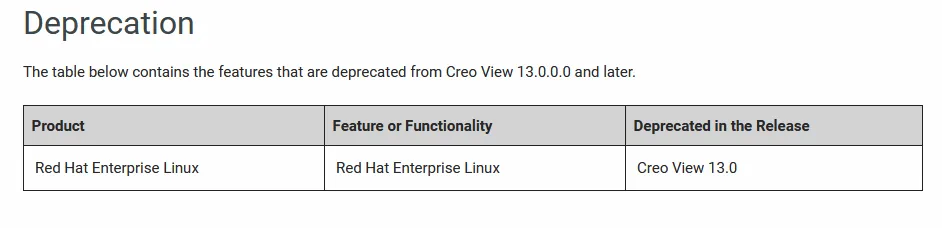
Deprecation of AEM-Based Creo View Adapter for PDF
Description:
- The Creo View Adapter for PDF based on Adobe Experience Manager (AEM) is deprecated in this release.
- This release marks the strategic shift away from AEM-based PDF publishing workflows in favor of modern, streamlined alternatives.
- Existing configurations continue to work, but no new enhancements or long-term investments are planned, and the adapter will be removed in a future release.
Benefits :
- Gives early visibility into planned lifecycle changes, providing time to plan migration.
- Reduces dependency on aging third-party infrastructure.
- Helps you migrate to the supported PDF publishing solutions before the adapter is removed.
What's New in Creo View ECAD Adapters
Export Color Information of Design Objects to EDA
Description:
- The Creo View ECAD Adapter now supports exporting and preserving color information for ECAD design objects, improving visual consistency between ECAD source data, Creo View, and downstream EDA workflows.
- With this enhancement, color attributes defined in IPC-2581 ECAD data are now parsed and preserved during import and export, instead of being replaced by the default Creo View colors.
- Creo View can display ECAD objects using the original layer and object colors defined in the source ECAD application.
Benefits :
- Improved visual fidelity—ECAD designs now appear in Creo View exactly as authored, with accurate layer and object colors.
- Better design clarity—Makes it easier to distinguish layers, features, and design intent during review and collaboration.
- Enhanced ECAD-MCAD collaboration—Preserves color-based conventions used by ECAD designers when importing IPC-2581 data into downstream tools such as Creo Parametric.
Support for IPC-2581 Revision C
Description:
- The Creo View ECAD Adapter now supports IPC-2581 Revision C, extending ECAD data exchange capabilities with the latest revision of the IPC-2581 standard.
- This enhancement enables publishing, visualization, and downstream use of IPC-2581 Rev C designs in Creo View, maintaining compatibility with newer ECAD authoring tools and workflows and consistency with existing Rev A and Rev B support.
Benefits :
- Customers can adopt the latest IPC-2581 standard without disruption, improving ECAD-MCAD collaboration and long-term data interoperability.
ECAD Application Support Updates
Added support for the following application versions:
- Allegro X 25.1
- Altium 26
- Siemens Expedition 2504
- Siemens Expedition 2510
- Zuken CR-8000 Board Designer 2026
Removed support for the following application versions:
- Allegro X 23.1
- Altium 2023
- Siemens EDA PADs Pro VX 2.12
- Siemens Expedition VX 2.13
- Zuken Board CR-8000 Designer 2023
Deprecation of Zuken Board Designer
Description:
- Support for Zuken CR-8000 Board Designer is deprecated in this release of the Creo View ECAD Adapter.
- This change aligns with Zuken's End of Life (EOL) announcement for CR-8000 Board Designer, under which Zuken plans to retire the product by March 31, 2028.
- As a result, Creo View is beginning a phased deprecation of the corresponding ECAD adapter.
Benefits :
- Improved long-term stability—ECAD support aligns with actively maintained authoring tools, reducing exposure to the end-of-life vendor platforms.
- Reduced upgrade risk—Helps customers avoid late-stage disruptions by planning migration well ahead of the vendor-announced EOL date.
PTC Creo View 13.0.0.0
PTC Creo View 13.0.0.0

Creo View is a simple but powerful enterprise visualization technology that enables virtually effortless collaboration across local and global design teams. Access to multiple forms of engineering data including 3D CAD models, 2D drawings, electrical schematics, and printed circuit boards both interactively at your desktop or through augmented reality (AR) allows design authors, project managers and downstream suppliers to quickly and easily access and share information between themselves and other stakeholders. Creo View makes the comparison and validation process easy, with single-view interrogation of mechanical and electrical design, project and part data. With Creo View, you're on the way to faster and higher quality design reviews, improved user and extended design team collaboration, and higher quality products at a lower cost.
Creo View Best Practices
https://www.youtube.com/embed/XyH1aTsVIi0
This webinar provides a comprehensive overview of the Creo View toolset, ensuring attendees have a solid understanding of its capabilities and functionalities. The session will delve into various use cases and roles for the software, illustrating how different professionals can leverage Creo View to enhance their workflows.
PTC has the most robust Internet of Things technology in the world. In 1986 we revolutionized digital 3D design, and in 1998 were first to market with Internet-based PLM. Now our leading IoT and AR platform and field-proven solutions bring together the physical and digital worlds to reinvent the way you create, operate, and service products. With PTC, global manufacturers and an ecosystem of partners and developers can capitalize on the promise of the IoT today and drive the future of innovation.
Owner: Parametric Technology Corp.
Product Name: Creo View
Version: 13.0.0.0
Supported Architectures: x64
Website Home Page :
https://www.ptc.com
Languages Supported: multilanguage
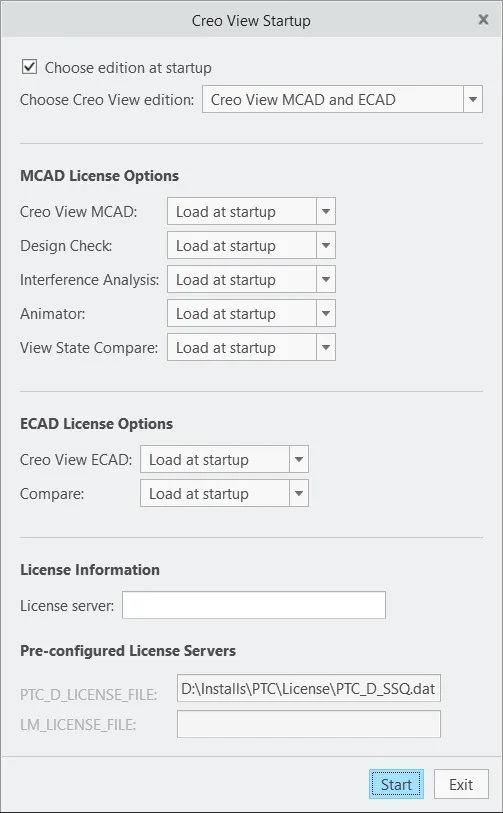
System RequirementsWindows *
Size File: 2.1 Gb
System Requirements
PTC Creo View 13.0.0.0

Buy Premium From My Links To Get Resumable Support,Max Speed & Support Me
Rapidgator-->Click Link PeepLink Below Here Contains Rapidgator
https://peeplink.in/0f3dd0bd5e5f
DDownload
ecdwf.PTC-Creo-View-13-0-0-0.rar
FreeDL
ecdwf.PTC-Creo-View-13-0-0-0.rar.html
Links are Interchangeable - No Password - Single Extraction
⚠️ Dead Link ?
You may submit a re-upload request using the search feature.
All requests are reviewed in accordance with our Content Policy.
Discovering free software download can be a game-changer for users looking to enhance their digital experience without breaking the bank. These platforms offer a vast array of software free download options, covering everything from productivity tools to entertainment applications. The beauty of these sites is not just the price (or lack thereof) but also the variety and accessibility they provide, ensuring that there's something for every type of user.
Comments (0)
Users of Guests are not allowed to comment this publication.