
| view 👀:53 |
🙍 oneddl |
redaktor: Baturi | Rating👍:
Learn to use Microsoft Windows 10 v1.00
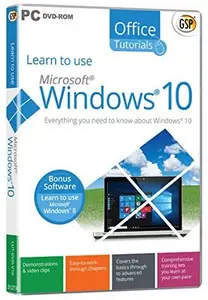
Free Download Learn to use Microsoft Windows 10 v1.00 | 743 MB
Learn to use Microsoft® Windows® 10 from Avanquest Software - Everything you need to know about Windows 10. It's never too late to learn something new! Our Learning Software can help you master just about anything with Windows 10. - we've got everything you'll need to expand your world!
Things that will be covered in Learn to use Microsoft® Windows® 10
- Introduction to Windows 10.
- Is you PC eligible for a free upgrade to Windows 10?
- Discover if you must save your data before upgrading to Windows 10.
- What are the minimum requirements for Windows 10?
- Will the "Get Windows 10" icon appear in your Notification area?
- Are you worried about your programs and devices? Will they work after upgrading to Windows 10?
- Any PC that is upgraded from Windows 7 or Windows 8.1 to Windows 10 will lose the Media Center functionality, and there's no way to get it back.
- This topic lets you take your first look at the Start menu.
- This topic is about the way you identify when starting your computer.
- Under Windows 8 and 8.1, the corners of the screen gave you various options. Under Windows 10, these features no longer exist!
- This topic shows you how to log in to your computer.
- This topic shows you how to define a picture or a PIN password.
- Did you lose you Microsoft password? This topic shows you how to replace it with a brand new one.
- Discover how to use Microsoft Cortana with your mouse and your keyboard.
- Want to interact with Cortana using your voice? This is the right topic.
- This topic gives examples of what you might say to Cortana.
- This topic shows you different techniques you could use to search for files and information.
- You can ask Cortana to react when you say "Hey Cortana". This topic shows you how.
- This topic shows you how you can adjust Cortana settings.
- Discover OneNote and what you can do with this app.
- This topic introduces Windows 10 Continuum and lets you know how you can adjust it.
- Discover how to sync your settings between Windows 10 and/or 8.1 devices.
- Discover how to select which apps are allowed to use geolocation.
- You can resize opened windows by using several keyboard shortcuts. Discover them in this topic.
- Want more space on your desktop? This topic shows you how without buying another screen.
- If you want to be as efficient as possible when working in Windows 10, you have to use keyboard shortcuts.
- Resizing, moving and grouping tiles in the Windows 10 Start Screen is straightforward. Discover how to proceed in this topic.
- This topic shows you how to create and manage groups of tiles.
- Discover how to delete thumbnails from the Start menu.
- This topic shows you how to add thumbnails to the Start menu.
- This topic shows you how to access all your apps from the Start menu.
- Did you know the Start menu is resizable? Discover how to choose its size in this topic.
- This topic shows you how to choose another background image for the Lock Screen.
- Discover how to personalise status and notifications displayed on the Lock Screen.
- Learn how to display a slide show on the Lock Screen.
- Windows 10 lets you customise your computer in two ways. Discover them in this topic.
- Learn how to use a screen saver.
- Learn how to choose another resolution, the number of colours or adjust the size of the fonts.
- Want to change your desktop background picture? This topic is for you!
- Learn how to use themes to personalise your computer.
- This topic shows how to associate sounds with events.
- This topic shows how to choose another position for the taskbar.
- This topic shows how to install a new printer.
- This topic shows how to select your default printer.
- All apps capable of printing can create PDF files. This topic shows you how.
- Discover how to associate apps and files.
- This topic shows you how to modify your default programs.
- This topic shows how to define user accounts.
- This topic shows you how to switch between users.
- This topic explains how to personalise your mouse.
- Discover how to manage notifications and the Action Center.
- This topic shows you how to access options for disabled people.
- Discover how to install apps from the Windows Store.
- Discover how to install and uninstall a program from a CD or DVD.
- Discover how to install and uninstall a program from the Internet.
- This section is an introduction to File Explorer.
- This section shows how to create a restore point.
- This section shows how to restore your system.
- Discover how to update and reset your computer in a few mouse clicks.
- Discover how to use File History to keep multiple versions of your files.
- This topic shows you how to copy files using File Explorer.
- Discover how to manage Libraries in Windows 10.
- This topic shows you how to manage ISO files.
- This topic is an introduction to HomeGroup and Network.
- This section shows how to reorganise the disk space using the defragmenter.
- This section introduces the Disk Cleanup utility.
- This topic shows you how to backup your data.
- The Recycle Bin temporarily stores the files you have deleted. This topic shows how to set it up.
- This topic shows you how to use Windows Update.
- This topic shows you how to sync your settings between computers and other Windows 10 devices.
- Discover how Windows 10 can connect to the Internet.
- This topic is an introduction to Microsoft Edge, the new Windows 10 web browser.
- This topic shows you how to change the default Home Page in Microsoft Edge.
- Discover how to use Microsoft Edge to launch a search on the Web.
- This section shows how to download a file from the Web to your computer's hard disk.
- This topic will show you how to customise Microsoft Edge.
- This topic shows you how to browse the Internet incognito.
- Discover how to access your favourite websites from the Start menu.
- Want to use Cortana in Microsoft Edge? This topic is for you!
- Discover what reading lists are and how they can help you when browsing the Web.
- In this topic, take your first steps with the Mail app.
- Discover what you can do with the Calendar app.
- In this topic, take your first steps with the Skype app.
- Discover how to use OneDrive.
- Discover how to use the Photos app.
- This section shows how to connect to a digital camera.
- This topic shows how to play Music CDs using Windows Media Player.
- This section shows how to copy music from CDs using Windows Media Player.
- This topic shows how to synchronise mobile devices using Windows Media Player.
- This topic shows you how to install VLC Media Player, a free DVD player, and how to use it.
- This topic looks at new Windows 10 safety improvements.
- Discover how to access administrative tools using a single mouse click.
- Discover the two versions of the Task Manager.
- This topic shows you how to customise the User Account Control.
- Discover how to customise Windows Defender.
- This topic introduces Windows SmartScreen and shows you how to customise it.
- This topic introduces the Windows 10 firewall.
System Requirements
Microsoft® Windows® 11, 10 & 8 * Average 450 MB Hard Drive space available per application * 1280 x 768, 16-Bit Color Display Recommended * Sound card * Mouse * Speakers or headphones

Rapidgator
nr7vi.Learn.to.use.Microsoft.Windows.10.v1.00.rar.html
Fikper
Learn to use Microsoft Windows 10 v1.00 Torrent Download , Learn to use Microsoft Windows 10 v1.00 Crack Download , Learn to use Microsoft Windows 10 v1.00 Patch Download , Learn to use Microsoft Windows 10 v1.00 Serial Keygen Download
⚠️ Dead Link ?
You may submit a re-upload request using the search feature.
All requests are reviewed in accordance with our Content Policy.
Discovering free software download can be a game-changer for users looking to enhance their digital experience without breaking the bank. These platforms offer a vast array of software free download options, covering everything from productivity tools to entertainment applications. The beauty of these sites is not just the price (or lack thereof) but also the variety and accessibility they provide, ensuring that there's something for every type of user.
Comments (0)
Users of Guests are not allowed to comment this publication.