
| view 👀:64 |
🙍 oneddl |
redaktor: Baturi | Rating👍:
FolderHighlight 2.9.4
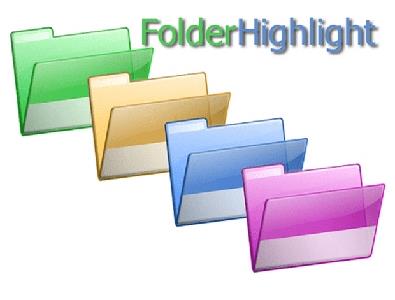
FolderHighlight 2.9.4 | 4.9 Mb
FolderHighlight is a small but powerful tool that changes the visual appearance of the folders in your PC. With FolderHighlight you can quickly change the color of any folder. Even though Windows already allows you to customize folder icons for this purpose, FolderHighlight is a much easier to use as it integrates into the Explorer right-click menu, so you can quickly mark any folder without having to go through additional dialogs. FolderHighlight is very easy to use no matter how much do you know about your PC. To change color of a folder, right-click the required folder with your mouse, select FolderHighlight in the context menu and then choose a suitable appearance for the folder.
We receive about 80% of all information through the eyes, and the same 80% of our memories consist of images. When you are browsing through dozens of visually similar folders, you are not using your vision to its full extent and thus your activity is less effective than it could be. But if some of these folders have a different color, they will catch the eye faster than you read their name. This way you can easily differentiate between folders and browse much faster, because you are using your vision much more efficiently.
How it works?
In most cases we use small amount of different folders at the same time. These "popular" folders are not always easily accessible. Using FolderBookmarks you can create bookmarks for your folder. After that you can open favorite folder fast and easy. You can navigate to folder marked as bookmark with just two mouse clicks. FolderBookmarks allows you to improve efficiency of everyday computer activities.
Who needs it?
People who want a quick and convenient way to access categorized information stored in their PCs.
People who work with a lot of documents and want to improve the efficiency and speed of their work.
People who want to decrease time spent on everyday's folder browsing.
How to use it?
FolderBookmarks is very easy to use no matter how much do you know about your PC. To create bookmark for your folder, right-click the required folder with your mouse, select FolderBookmarks in the context menu and then select "Add to bookmarks" menu item.
After that your folder will be available in the list of bookmarks. If you want to navigate to this folder from any place in your system, you just need to right click on empty area of Windows Explorer, select FolderBookmarks in the context menu and then choose your bookmark.
If you want to open or save file from application that you use, FolderBookmarks can help you to navigate to favorite folder directly from "Open file" system dialog.
Home Page-https://www.eriversoft.com/
Buy Premium From My Links To Get Resumable Support,Max Speed & Support Me
.html

https://rapidgator.net/file/d25b3418806da938a6be748343987ef5/dxuk7.FolderHighlight.2.9.4.rar.html
⚠️ Dead Link ?
You may submit a re-upload request using the search feature.
All requests are reviewed in accordance with our Content Policy.
Discovering free software download can be a game-changer for users looking to enhance their digital experience without breaking the bank. These platforms offer a vast array of software free download options, covering everything from productivity tools to entertainment applications. The beauty of these sites is not just the price (or lack thereof) but also the variety and accessibility they provide, ensuring that there's something for every type of user.
Comments (0)
Users of Guests are not allowed to comment this publication.