
| view 👀:64 |
🙍 oneddl |
redaktor: Baturi | Rating👍:
Backuptrans Android iPhone Data Transfer Plus 3.1.41 (x64)
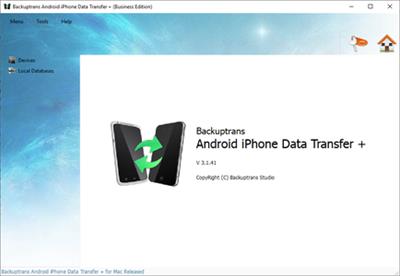
Backuptrans Android iPhone Data Transfer Plus 3.1.41 (x64) | 20 Mb
Copy Data from Android/iPhone to PC, Transfer Data between Android and iPhone. If you have two android/iPhone devices or one android and one iPhone, it's always wise to find a tool to help you manage data for both your Android/iPhone devices or to transfer data between Android and iPhone. Backuptrans Android iPhone Data Transfer + is the best all-in-one phone data manager package for Android and iPhone. It provides a simple & effective solution to copy & share data for Android/iPhone on computer directly. No Root/Jailbreak required.
* Various data supported,like Music, Video, Photo, Playlist, SMS & MMS Message, Contact, Calendar, Call history, Note, Bookmark etc
* Easily Backup and Restore data for Android/iPhone on computer
* Directly transfer data between Android and iPhone
* Move Data from iTunes Backup on computer to Android/iPhone
* Smart File System to Copy & share files for Android and iPhone
* Transfer Data between phones of any networks like AT&T, Verizon, Sprint, T-Mobile etc
* Support iPhone, Samsung, HTC, Motorola, Sony Ericsson, LG, Huawei and More
Features:
* Transfer Data between Android and iPhone Directly
Use innovative synchronization algorithms to help Android/iPhone users easily transfer data including Music, Video, Photo, Playlist, SMS & MMS Message, Contact, Calendar, Call history, Bookmark etc between Android and iPhone directly on computer. All these data will be merged perfectly.
* Backup & Restore Data for Android/iPhone on computer
With Backuptrans Android iPhone Data Transfer +, you can backup all data to your computer any time you wish to, data including Music, Movie, Photo, Playlist, Camera Roll,Ringtone, ePub, PDF, Audiobook, Voice Memo, Voicemail, Podcast, TV Show, SMS & MMS Message, Contact, Note, Calendar, Call history, Bookmark etc.
* Copy Data from iTunes Backup to Android/iPhone
If you have backed up your iPhone with iTunes on computer, Backuptrans Android iPhone Data Transfer + will let you transfer SMS & MMS Message, Contact, Calendar, Call history, Bookmark from your iPhone Backup to your Android/iPhone smoothly. Even Android/iPhone with a broken screen supported also.
* Powerful File System to share files for Android and iPhone
Backuptrans Android iPhone Data Transfer + provides a smart and professional File System for you to copy files between Android/iPhone and computer. It's so powerful that users not only can view data straightforward but also can choose to transfer your selected category of files.
* Export Android/iPhone Messages, Contacts etc to document file
Fast export speed and various common file types supported, including TXT, CSV, Doc, VCF, HTML or PDF. Simply choose one according to your need. Additionally, you can also choose to export all Android/iPhone Messages, Contacts out or just export a certain selected Messages, Contacts.
* Print Android/iPhone Messages, Contacts from computer
You will find printing Android/iPhone messages, contacts on computer can be so easy.
* Add, Edit or Delete Android/iPhone contacts on PC
Satisfy all your management needs for your Android/iPhone contacts. You can add, edit or even delete Android/iPhone contacts directly from computer.
* Wireless Connect your Android to Computer for transferring Data
Backuptrans Android iPhone Data Transfer + lets you connect your Android to computer via wifi for transferring data. Easy to use.
* Supports all iPhones and Android Phones with different networks
Supports 1,000+ Phones including iPhone 6S Plus/6S/6 Plus/6/5S/5C/4S/4/3GS/iPad/iPod Touch, Samsung, HTC, MOTOROLA, Sony Ericsson, LG, HUAWEI and More. Transferring data between Android and iPhone on different networks(AT&T, Verizon, Sprint, T-Mobile etc) is also supported.
Requirements:
Operating system - Windows 10/8/7/Vista/2003/XP/2000/NT.
Processor - 1000MHz Intel, AMD CPU, M1 or above.
Available HD space - 200MB free hard disk space or more for installation; RAM - 2GB RAM or more.
iTunes 10.0 or above is required.
iPhone running iOS 4 or above is required.
Support iOS 4.2, iTunes 10.1 or above is required.
Support iOS 4.3, iTunes 10.2 or above is required.
Support iOS 5, iTunes 10.5 or above is required.
Support iOS 6, iTunes 10.7 or above is required.
Support iOS 7, iTunes 11.0 or above is required.
Support iOS 8, iTunes 12.0 or above is required.
Support iOS 9, iTunes 12.1 or above is required.
Support iOS 10/iOS 11/iOS 12/iOS 13/iOS 14, iTunes 12.10 or above is required.
Some Android devices require USB driver software to be installed on Windows in order to connect to a PC properly. Contact the manufacturer of your device, if the driver software is not automatically installed by Windows.
Printer must be connected to the computer for printing.
Home Page -
https://www.backuptrans.com/Buy Premium From My Links To Get Resumable Support,Max Speed & Support Me

https://rapidgator.net/file/6969800ed6cec1b31638257129584ef2/6bwyv.Backuptrans.Android.iPhone.Data.Transfer.Plus.3.1.41.x64.rar.html
⚠️ Dead Link ?
You may submit a re-upload request using the search feature.
All requests are reviewed in accordance with our Content Policy.
Discovering free software download can be a game-changer for users looking to enhance their digital experience without breaking the bank. These platforms offer a vast array of software free download options, covering everything from productivity tools to entertainment applications. The beauty of these sites is not just the price (or lack thereof) but also the variety and accessibility they provide, ensuring that there's something for every type of user.
Comments (0)
Users of Guests are not allowed to comment this publication.