
| view 👀:99 |
🙍 oneddl |
redaktor: Baturi | Rating👍:
Syncdocs 6.996.32.129
Syncdocs 6.996.32.129 | 8.4 Mb
Writing has greatly evolved along with computers and specialized office suites. Moreover, there's the possibility to simply manage documents while using a web browser thanks to Google Docs. What Syncdocs tries to achieve is the possibility to synchronize your Google Docs and Google Drive items from the comfort of your desktop.
Enhance Google Drive
Sync any folders to Google Drive, not just the one folder Google's client offers.
These folders can be anywhere on your PC, network or even an external drive. So you have the freedom to make Google work the way you want it, and not be forced to use another folder structure.
Better privacy and security. Sensitive materials are automatically encrypted online.
Access all your files offline. Unlike Google's client, all files are copied locally. This means you have a complete backup, and you can edit these files when offline. When you go online again, your changes are synced.
Sync multiple accounts at the same time. Keep your home and work and Google Apps accounts all in sync at the same time!
Install without Administrator permissions - powerful automated deployment scripts help you roll out and pre-configure Google Drive to your users.
Schedule Google Drive backups - backup once a day if you want. Your Google contact list is backed up too!
Full control over sync direction - upload, download or both
Maintain Google access rights on Windows - files you share without edit permissions stay that way.
Shared files are also synced - Google Drive won't sync files that others share with you, Syncdocs lets you choose.
Facebook, Twitter and GMail file sharing - simply click on a file or folder to share it.
See what's going on - Syncdocs shows you the full status of the current sync. No more wondering how far you are from done.
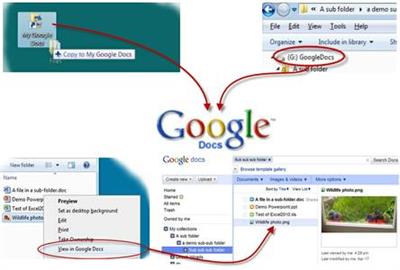
Smooth desktop integration
Even More Business and Power User Features
Sync and Copy
Syncs automatically when changes or new files are made.
Works with all types of files.
Your folder structure is preserved.
Google Docs can be mapped as a drive letter
Your files are always at the latest version - never again forget your work on your laptop or USB stick
Save a file on your PC and access it from your netbook, iPad or smartphone. All changes are synced back.
Changes you make when offline are automatically synced when you have Internet access again.
Backup - Online and Offlinesync multiple=
Your files are securely backed up to Google Drive's worldwide data centers.
Google offers 5GB of free storage, with good prices if you need more space.
Revision control means you can go back in time to a previous version of a document.
Don't worry about forgetting to make a backup, as Syncdocs backs up automatically.
All your Google documents are also backed up on your local PC for offline access.
Migrate your data online
Google Docs is less useful if all your data stays behind on your PC, and you can only import a few files at a time using the web interface. Syncdocs copies all your files and folders to Google in one go.
Intelligent conversion features make sure your documents stay in the format you want and backups are made if document fidelity might be lost.
Use Google's powerful search feature to search your own documents.
Access the full power of Google Docs by moving all your existing data online.
Migrate docs from one Google Apps account to another.
Migrate your users online
We work best with the tools we already know. Syncdocs allows you to mix your old desktop programs and files with Google Docs, transparently.
This eases the transition to Google Docs by letting users make the move at their own pace, rather than a jarring switch-over.
Different members of your team can use the program they prefer, and still get all the advantages of Google's cloud platform.
Share and Collaborate
Easily share files on your PC
Control access. Share to the world, or to only specific users. Revoke access at any time.
Stop emailing attachments. Stop worrying about multiple versions. Use powerful document sharing features to share and merge documents.
Syncdocs enables live collaboration between Google Docs and Microsoft Word users.
Operating System: Windows 7, 8, 8.1, 10 and also XP, Windows 2000 or Vista.
Home Page -
https://www.syncdocs.com/Buy Premium From My Links To Get Resumable Support,Max Speed & Support Me

https://rapidgator.net/file/552ccea36a79af251cdd732219390726/pj4xa.Syncdocs.6.996.32.129.rar.html
⚠️ Dead Link ?
You may submit a re-upload request using the search feature.
All requests are reviewed in accordance with our Content Policy.
Discovering free software download can be a game-changer for users looking to enhance their digital experience without breaking the bank. These platforms offer a vast array of software free download options, covering everything from productivity tools to entertainment applications. The beauty of these sites is not just the price (or lack thereof) but also the variety and accessibility they provide, ensuring that there's something for every type of user.
Comments (0)
Users of Guests are not allowed to comment this publication.