
| view 👀:4 |
🙍 oneddl |
redaktor: Baturi | Rating👍:
VoiceBot Pro 4.0 Multilingual
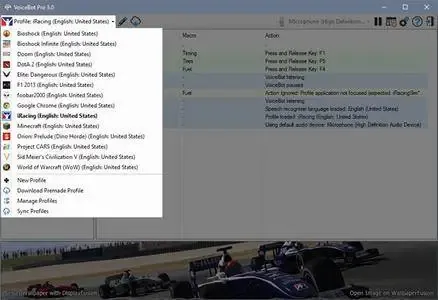
Free Download VoiceBot Pro 4.0 Multilingual | 31 Mb
VoiceBot Pro is a voice control application that allows users to operate games and applications through spoken commands. It enables voice-based control for keyboard shortcuts, mouse actions, macros, and scripted commands.
The software uses voice recognition technology to map custom commands to specific actions, helping users create personalized control systems for gaming and desktop workflows. It supports complex automation through customizable macros and scripting options.
VoiceBot Pro is designed for gamers and users who want an alternative way to interact with applications using voice commands and automation tools.
Software Overview
VoiceBot Pro provides a flexible voice command system that connects spoken instructions with computer actions. Users can create voice profiles that trigger keyboard inputs, mouse movements, clicks, macros, and scripts.The application includes support for game-specific profiles, allowing users to configure different voice commands for various titles. Custom macros can be created through a visual editor or by using the built-in C# scripting environment.
VoiceBot Pro also supports synchronization between computers and allows users to share custom profiles with the community.
Key Features
- Control games and applications using voice commands.
- Assign voice commands to keyboard shortcuts and mouse actions.
- Create custom macros and automated sequences.
- Use built-in C# scripting for advanced macro creation.
- Support VR headset compatibility including Oculus Rift.
- Access ready-to-use game profiles.
- Synchronize profiles between computers.
- Create and share custom profiles with the community.
- Use global macros for system-wide commands.
Why Choose VoiceBot Pro
VoiceBot Pro is suitable for users who want to customize how they interact with games and applications. Its voice command system provides additional control options for gaming, automation, and repetitive tasks.The software is useful for gamers, VR users, and anyone looking to create personalized voice-based workflows.
System Requirements
Windows 10, 8.1, 8, and 7 (32-bit and 64-bit)Microphone or headset
Windows only supports voice recognition in these languages: English, French, German, Japanese, Chinese and Spanish
Frequently Asked Questions
What is VoiceBot Pro used for?
VoiceBot Pro is used to control games and applications with voice commands by assigning spoken instructions to computer actions.Does VoiceBot Pro support custom macros?
Yes. Users can create custom macros using the built-in editor or C# scripting tools.Can VoiceBot Pro be used with VR systems?
Yes. VoiceBot Pro supports VR headsets including Oculus Rift.Which languages are supported for Windows voice recognition?
Windows voice recognition support is available for English, French, German, Japanese, Chinese, and Spanish.Home Page
https://www.voicebot.net/
Product Information
- Software Name: VoiceBot Pro
- Version: 4.0
- Languages: Multilingual
- License type: Full Version
- File Size: 31 Mb
Buy Premium From My Links To Get Resumable Support,Max Speed & Support Me
Rapidgator
4pex0.VoiceBot.Pro.4.0.Multilingual.rar.html
UploadCloud
4pex0.VoiceBot.Pro.4.0.Multilingual.rar.html
DDownload
4pex0.VoiceBot.Pro.4.0.Multilingual.rar
FreeDL
4pex0.VoiceBot.Pro.4.0.Multilingual.rar.html
Links are Interchangeable - No Password - Single Extraction
⚠️ Dead Link ?
You may submit a re-upload request using the search feature.
All requests are reviewed in accordance with our Content Policy.
Discovering free software download can be a game-changer for users looking to enhance their digital experience without breaking the bank. These platforms offer a vast array of software free download options, covering everything from productivity tools to entertainment applications. The beauty of these sites is not just the price (or lack thereof) but also the variety and accessibility they provide, ensuring that there's something for every type of user.
Comments (0)
Users of Guests are not allowed to comment this publication.